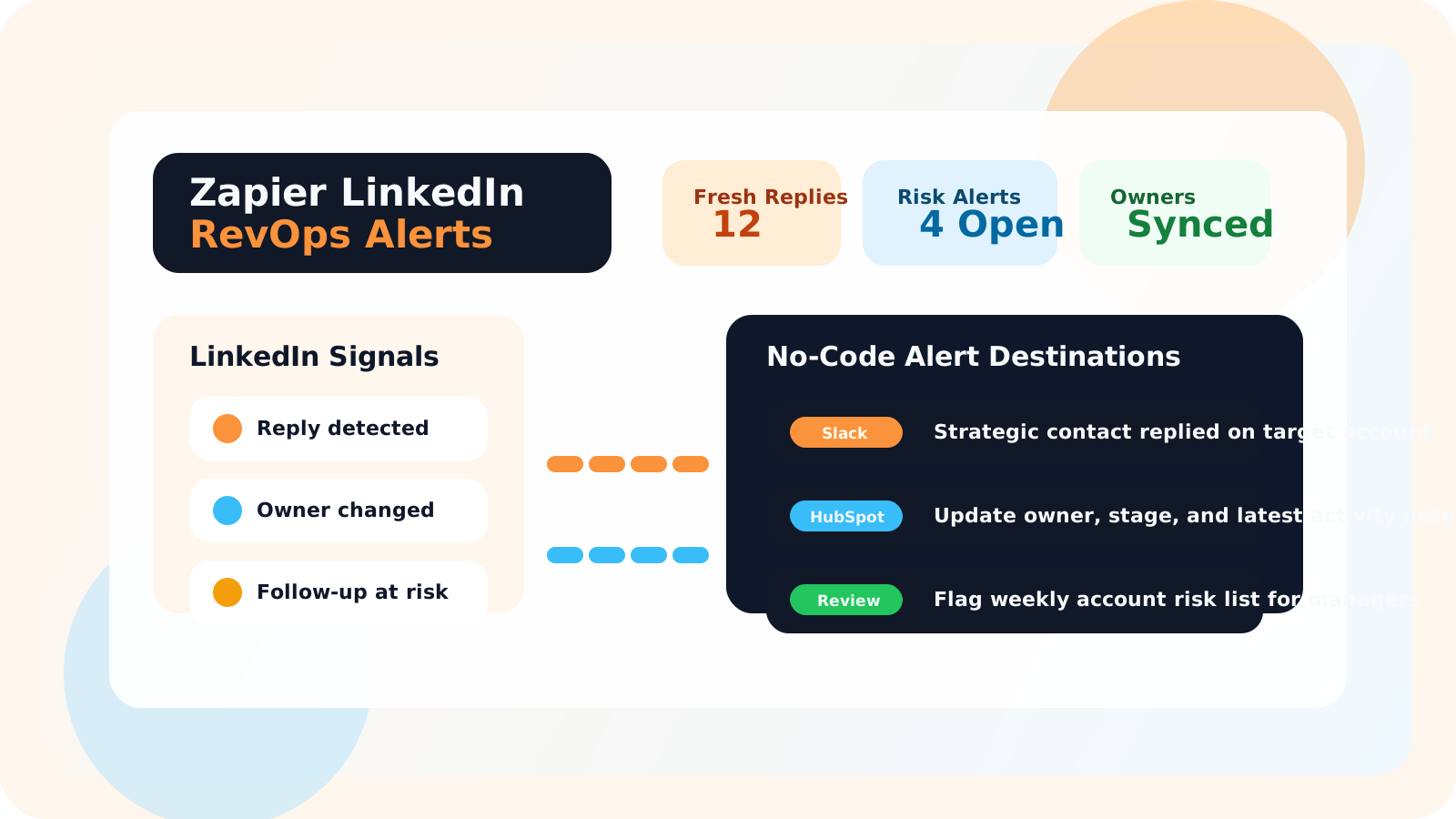
A Zapier LinkedIn outreach integration for no-code RevOps alerts should route only meaningful events such as fresh replies, overdue strategic follow-ups, and ownership changes. The goal is not to mirror every browser action. It is to give RevOps and managers the signals they need without slowing the rep down inside LinkedIn.
That distinction matters because most integration plans fail in one of two ways. Either nothing gets shared and leadership stays blind, or too much gets shared and everyone starts ignoring the alerts because the channel has become noise.
DMnesia fits best in the middle. The browser extension remains the rep’s working surface for tracking profiles, setting follow-ups, using templates, and noticing replies. The team layer then creates a clean place to expose shared data and API access so those signals can move into Slack, HubSpot, Salesforce, or a reporting workflow later.
For the broader systems design behind this, start with Zapier LinkedIn outreach integration. This page goes one level deeper into the alerting use case that RevOps teams usually care about first.
Why no-code RevOps alerts matter for LinkedIn outreach
RevOps does not need every rep click. RevOps needs the handful of events that change what the team should do next. That is what makes no-code alerts valuable: they move real operating signals into the systems that leaders already watch.
- Strategic replies become visible fast instead of waiting for a weekly recap.
- Ownership changes stop being hidden when handoffs trigger a shared alert.
- Follow-up drift is easier to catch when priority accounts go quiet past the agreed window.
- Managers can coordinate faster without forcing reps into manual reporting rituals.
| Alert type | When it should fire | Who should care |
|---|---|---|
| Fresh reply alert | A target stakeholder replies on a priority account | Owner, manager, and account team |
| At-risk follow-up alert | A strategic thread goes overdue beyond the team standard | Manager or RevOps lead |
| Ownership change alert | An account or thread moves to a new person | New owner and supporting manager |
| New stakeholder tracked alert | A rep adds a new contact on a named account | Account pod or expansion lead |
What a Zapier LinkedIn outreach integration should sync for alerts
Sync shared state, not private scratch work
A good rule is to sync the events that matter to more than one person. If the event changes account coordination, reporting, or coaching, it is a good candidate. If it is just a private note or a half-finished thought, leave it in the rep workflow.
Prefer thresholds over raw activity streams
RevOps alerts should usually be conditional. Instead of “rep touched LinkedIn again,” send “priority account has gone seven days without a planned next step.” The team can act on that.
Keep CRM and messaging systems in the loop
Slack is useful for speed. HubSpot and Salesforce are useful for system-of-record visibility. A no-code setup should let the team fan the same signal to the right place based on who needs to respond.
If your team is still deciding what belongs in the CRM in the first place, the guide on how to integrate LinkedIn outreach data into HubSpot or Salesforce breaks down the system-of-action versus system-of-record split. If HubSpot is the main destination, the more direct buyer page on LinkedIn API for HubSpot integration is the next read.
Alerting rule: if every event looks urgent, none of them are. Build alerts around moments that change ownership, timing, or account risk, not around general activity volume.
How DMnesia supports no-code RevOps alert workflows
DMnesia already centers the workflow on the rep’s browser, which is where LinkedIn context actually lives. That matters because the alerting layer should never force the rep into a second operating surface just to keep leadership informed.
- Tracked profiles and target leads create the core objects a team cares about.
- Follow-up reminders and due views establish a predictable timeline for alert thresholds.
- Reply detection turns a high-value response into a usable signal instead of a hidden event.
- Team plans with API access give RevOps a route to connect shared data outward.
That same architecture supports shared reporting and dashboards. If the immediate need is manager visibility rather than alerts, read shared LinkedIn outreach dashboard or team LinkedIn outreach analytics. Those pages show what the alerting layer is meant to reinforce.
A practical no-code alert workflow to copy
Most teams do best with a short set of named alerts and clear owners.
| Workflow | Trigger | Action |
|---|---|---|
| Priority reply alert | Strategic account receives a fresh LinkedIn reply | Notify owner in Slack and append a CRM activity note |
| Coverage risk alert | No planned follow-up on a named account past the team window | Send manager alert and flag the account for review |
| Handoff alert | Owner changes on a live account thread | Notify new owner and create a handoff task |
Conclusion: route the moments that need coordination
A Zapier LinkedIn outreach integration for no-code RevOps alerts works best when it sends the team a small number of high-value signals. That preserves speed for reps and clarity for leadership.
If you can identify which reply, risk, or ownership moments deserve shared attention, the integration becomes useful immediately instead of becoming another ignored operations channel.
Turn LinkedIn outreach signals into team-ready alerts
Use DMnesia to keep rep workflow inside LinkedIn while your team routes replies, handoffs, and follow-up risk into Slack, CRM, and RevOps views.
View Team PricingFrequently asked questions
What alerts should a Zapier LinkedIn outreach integration send?
The best alerts focus on meaningful team events such as fresh replies, overdue strategic follow-ups, ownership changes, and new tracked stakeholders on priority accounts. Those events create action without overwhelming RevOps with noise.
Why use no-code RevOps alerts for LinkedIn outreach?
No-code alerts help teams connect LinkedIn activity to Slack, CRM, and reporting workflows quickly without waiting for a custom engineering project. They are useful when the team needs shared awareness more than product complexity.
How does DMnesia fit a Zapier alert workflow?
DMnesia keeps profile tracking, reminders, and replies close to the rep inside LinkedIn, then gives team plans a shared data layer and API access so RevOps can route important outreach signals into the rest of the stack.