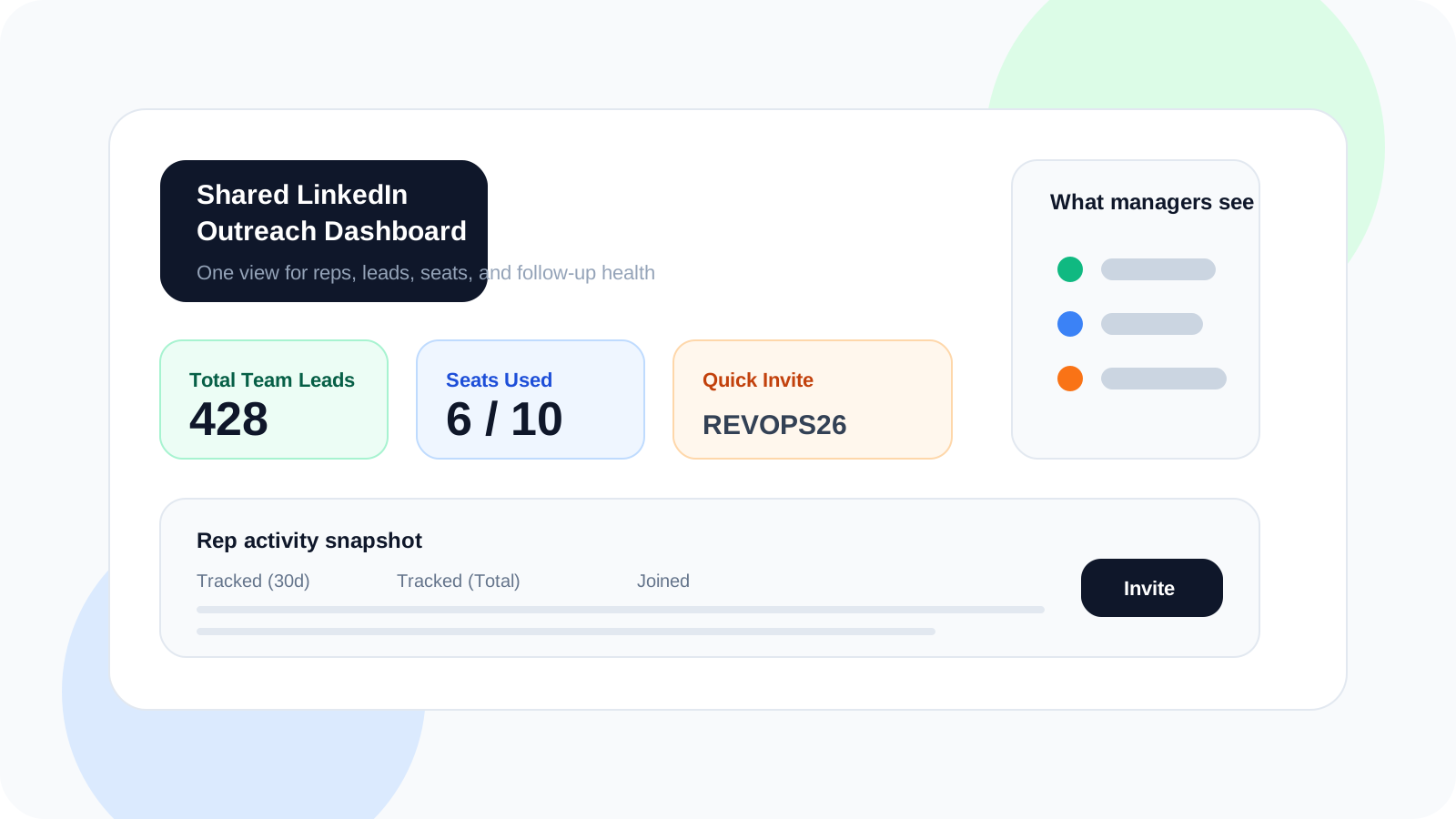
A shared LinkedIn outreach dashboard gives sales teams one live view of tracked leads, rep activity, seat usage, and next actions. Instead of chasing updates in DMs or spreadsheets, managers can see what is moving, who is overloaded, and where follow-up discipline is slipping.
Most LinkedIn outreach systems break the moment a manager wants visibility. Each rep is working inside their own browser, so the only shared reporting layer becomes a spreadsheet, a Slack message, or an end-of-week recap that nobody fully trusts.
A better setup keeps execution with the rep and visibility with the team. That is the logic behind DMnesia’s team portal: reps still run outreach inside the extension, while managers get an organization-level dashboard showing Total Team Leads, Seats Used, a fast Quick Invite flow, and a rep table with Tracked (30d) and Tracked (Total) activity.
Why a shared LinkedIn outreach dashboard matters
The dashboard is not there to create more reporting. It is there to remove guesswork. When a team can see the same operating picture, coaching gets faster and admin gets lighter.
- Managers spot gaps early instead of finding out at the end of the month.
- Reps stay accountable without needing to maintain a second manual tracker.
- Team growth gets cleaner because invites and seat planning are built into the same workspace.
- Pipeline handoffs improve because tracked work is visible beyond one person’s browser.
| Team setup | What managers see | What usually happens |
|---|---|---|
| Spreadsheet rollups | Whatever each rep remembers to update | Late reporting and weak coaching context |
| Individual-only extensions | Rep-level execution but no shared team layer | Good personal discipline, poor manager visibility |
| Shared outreach dashboard | Team leads, member activity, seats, and invites in one place | Faster reviews and cleaner operating rhythm |
What a shared LinkedIn outreach dashboard should show
Total team lead volume
A shared dashboard should immediately show whether the team is building enough pipeline to support goals. DMnesia surfaces Total Team Leads at the top so managers can answer that question in seconds.
Rep-level activity that is easy to coach
Raw activity only matters if it can be turned into coaching. That is why the rep table matters. Seeing Tracked (30d), Tracked (Total), and Joined side by side helps a manager separate ramp issues from effort issues.
Seat usage and team growth controls
Operational friction kills momentum. A dashboard should not make managers leave the page to add a seat, invite a new teammate, or understand capacity. DMnesia keeps Seats Used and Quick Invite visible in the same workspace.
That same visibility also makes ownership cleaner. If your team is fighting overlap or unclear account coverage, the new guide to LinkedIn account ownership for sales teams shows how a dashboard becomes part of the assignment model, not just the reporting layer.
Useful rule: if a dashboard only reports on activity after the fact, it is not helping the team operate. The best shared dashboards support hiring, invites, rep reviews, and daily pipeline decisions in the same place.
How DMnesia connects rep workflow to team visibility
The extension handles the rep’s day-to-day work: saving profiles, scheduling follow-ups, tracking replies, and keeping the next action close to the conversation. The portal then turns that rep activity into a shared operating view.
- Tracked contacts roll up into team-level visibility.
- Reply-aware workflows reduce fake activity because warm conversations stop being treated like pending follow-ups.
- Invites and seat controls keep the team layer practical, not just analytical.
- API access gives RevOps a path to move shared outreach data into a broader system later.
That split is important. Reps do not want a manager hovering in every browser tab. Managers do not want blind spots. A shared dashboard gives both sides what they need.
If your managers need a meeting-by-meeting operating rhythm rather than a category overview, read shared LinkedIn outreach dashboard for weekly pipeline reviews for the exact review sequence to run each week.
Teams running accounts in pods should also read shared LinkedIn outreach dashboard for account pods, which focuses on stakeholder coverage, handoff clarity, and ownership across SDR, AE, and post-sale teammates.
If your motion is post-sale rather than new-logo, the new guide to shared LinkedIn outreach dashboard for expansion teams shows how stakeholder coverage, renewal continuity, and handoff visibility change what the dashboard needs to show.
If your next step is designing the measurement and governance layer around this view, read LinkedIn outreach dashboard for RevOps for the RevOps-specific version of the same operating system.
It also makes transitions easier. When ownership changes, the dashboard helps the team preserve continuity instead of starting over. The companion guide on LinkedIn outreach handoff workflow breaks down that transfer layer in detail.
People also ask about shared LinkedIn outreach dashboard tools
What should a shared LinkedIn outreach dashboard show?
It should show team-wide lead volume, rep activity, who needs help, and whether the outreach system is healthy. If managers still need screenshots from each rep, the dashboard is not doing its job.
Can a LinkedIn outreach dashboard replace spreadsheet reporting?
For day-to-day visibility, yes. Spreadsheets can still be useful for one-off planning, but the core reporting should live where the work already updates itself.
Why do sales teams need a shared dashboard for LinkedIn outreach?
Because LinkedIn outreach usually starts as an individual motion. A shared dashboard creates the manager layer without forcing reps into extra admin work after every message.
Conclusion: shared visibility is what turns rep activity into a team system
A shared LinkedIn outreach dashboard is less about control and more about clarity. It tells the team what is moving, where the workload sits, and whether the pipeline is healthy enough to support targets.
If your current reporting still depends on a weekly round of screenshots and manual notes, the operating system is too fragile. The dashboard should already know.
Give your team one live outreach view
Use DMnesia to keep rep execution inside LinkedIn while the team portal handles shared lead visibility, invites, and oversight.
Explore the Team PortalFrequently asked questions
What should a shared LinkedIn outreach dashboard show?
It should show team-wide lead volume, rep activity, who needs help, and whether the outreach system is healthy. If managers still need screenshots from each rep, the dashboard is not doing its job.
Can a LinkedIn outreach dashboard replace spreadsheet reporting?
For day-to-day team visibility, yes. The right dashboard removes manual rollups by keeping tracked leads, invites, seats, and rep activity in one shared view.
Why do sales teams need a shared dashboard for LinkedIn outreach?
Because LinkedIn work usually happens inside individual browsers. A shared dashboard gives managers the team layer they need without forcing every rep to become an admin clerk.