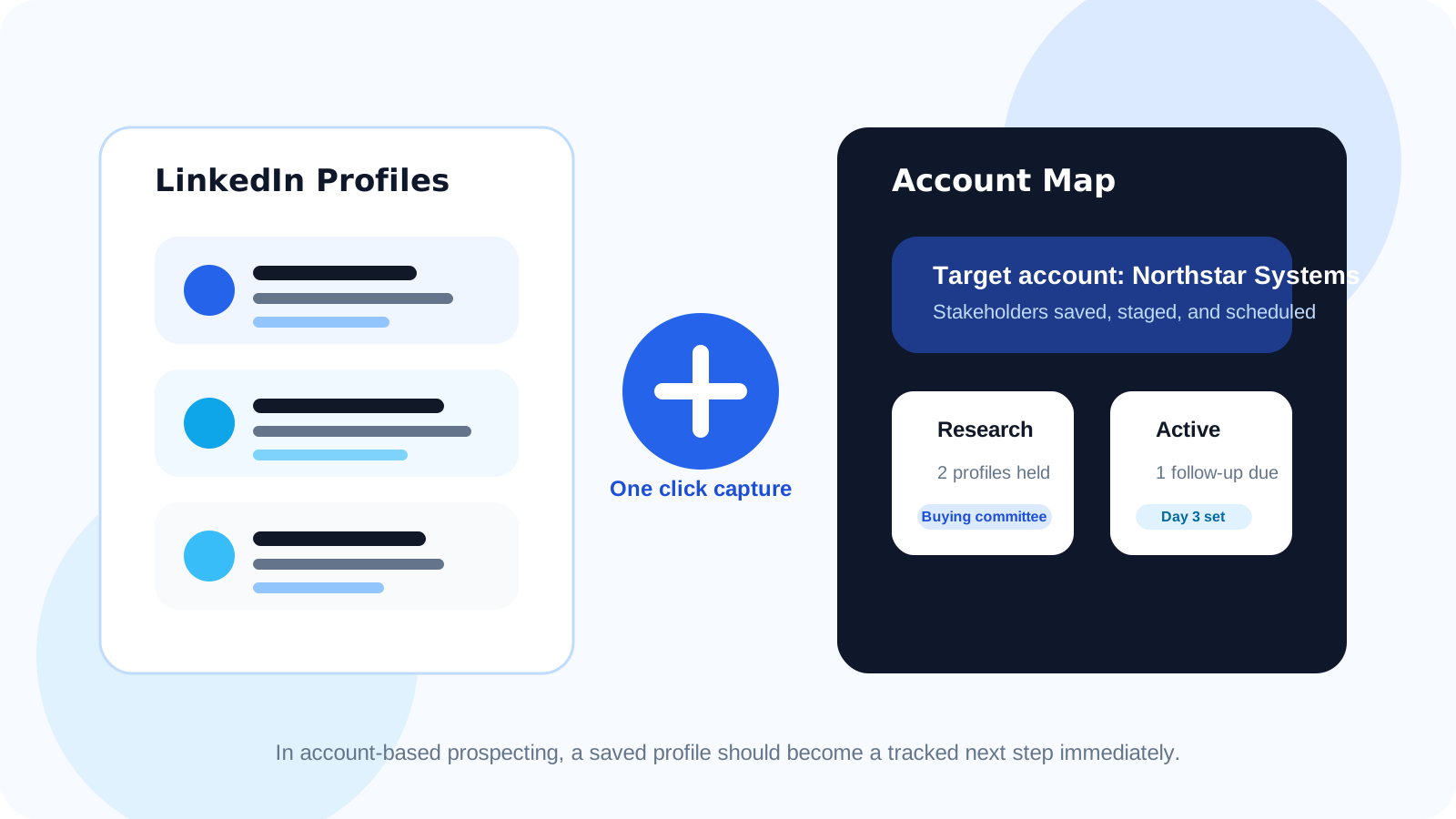
A one-click LinkedIn profile saver helps account-based teams capture promising contacts while the profile is open, preserve the account context, and start follow-up timing immediately. That is critical in account-based prospecting, where the cost of losing one warm stakeholder is often much higher than losing one cold list entry.
Generic LinkedIn saving advice usually focuses on speed alone. That is useful, but account-based work raises the bar. When a rep is researching multiple people inside one company, the workflow has to protect more than a name and link. It has to protect buying-committee context, role relevance, and the exact moment the profile looked worth pursuing.
That is why one-click capture matters so much here. If the rep has to leave LinkedIn, open another tool, create a record manually, and rebuild the context later, the account view breaks down fast. The more stakeholders involved, the more expensive that friction becomes.
DMnesia’s browser-native saver is useful in this setting because it turns the profile visit into the start of a tracked workflow instead of a vague intention to “come back later.” The save action can lead directly into follow-up timing, template support, and a queue the rep can actually work.
What account-based teams need from a one-click LinkedIn profile saver
| Account-based moment | What the saver should capture | Why it matters |
|---|---|---|
| Finding a new stakeholder | Name, company, headline, role, and profile link | You keep the basic contact record attached to the right account |
| While account context is fresh | Notes on role fit or buying-committee relevance | You avoid rediscovering why the contact mattered later |
| After the save | A follow-up schedule or next step | The contact moves into a real system instead of a holding pile |
| During ongoing research | Visibility into which account contacts are already tracked | You reduce duplicate effort and keep the account map cleaner |
Why one-click saving matters more in account-based prospecting
1. The prospect is part of a wider account story
In simple outbound, losing one profile may just mean losing one possible lead. In account-based prospecting, it may mean breaking the continuity of a larger account plan. The saver needs to protect that relationship by capturing the person before context fades.
2. Good research often happens in bursts
Reps move through multiple profiles quickly when mapping an account. They notice job titles, team structure, adjacent stakeholders, and likely decision roles in a short window. One-click saving preserves momentum during that burst instead of interrupting it with manual admin.
3. Follow-up timing has to begin before memory decays
If the save action ends with “I will organize this later,” the advantage is gone. The better pattern is capture first, then immediately place the contact into a follow-up workflow. That is why the saver pairs well with DMnesia’s reminder logic and LinkedIn lead tracking for account-based prospecting.
Useful benchmark: if your team saves profiles but still cannot answer which stakeholder needs a follow-up next, you have capture without workflow.
How to use a one-click LinkedIn profile saver in an account-based routine
- Save promising stakeholders while the profile is open instead of relying on later note cleanup.
- Add light account context immediately so the rep remembers why this person matters inside the company.
- Separate research-stage names from live follow-up when the contact is interesting but not yet outreach-ready.
- Start the reminder sequence once the contact is active so good research becomes disciplined action.
- Use templates only after the contact enters a real follow-up stage to keep messages aligned with account timing.
That third point matters. Account-based teams often mix research with execution and then wonder why the daily queue feels noisy. DMnesia’s target leads pipeline for qualified outreach is useful here because it lets the rep hold names before they earn a place in active follow-up.
What DMnesia adds beyond basic profile capture
A basic save button is only the start. DMnesia turns the action into a workflow layer.
- One-click tracking from the profile view so the contact enters the system immediately.
- Target Leads support for people who belong in research before they belong in the live queue.
- Follow-up sequences so active contacts do not disappear after the first save.
- Badge notifications and Today view so the next action becomes visible when it is due.
- Reply detection and message templates so the workflow stays accurate once conversations start moving.
If you want the broader category primer, read the original one-click LinkedIn profile saver guide. If you want the SDR version, there is also one-click LinkedIn profile saver for SDR workflows. This article is the account-based prospecting version, where stakeholder capture and timing discipline matter more than generic speed.
For warm channel handoffs and alliance-led intros, see one-click LinkedIn profile saver for partner outreach workflows. That page focuses on preserving referral context, not just multi-stakeholder research.
Where this fits in a real account-based motion
Account-based prospecting is usually strongest when the browser becomes the place where research turns into action. The rep visits a profile, decides whether the person belongs in the account map, saves the contact instantly, and either holds them in a target-leads lane or starts a follow-up rhythm. The workflow remains close to LinkedIn instead of leaking into disconnected notes.
That is why this feature tends to outperform “save for later” habits. Later is where account context gets diluted. One-click capture protects the moment while the reasoning is still sharp.
People also ask about one-click LinkedIn profile savers
What does a one-click LinkedIn profile saver do for account-based prospecting?
It turns a promising profile visit into a tracked record immediately, so the rep can save the contact, preserve account context, and schedule the next step before moving on.
Why is one-click saving useful in account-based workflows?
Because account-based prospecting involves many related profiles and buying-committee notes. Fast saving keeps that context attached to the right person instead of leaving it scattered across tabs and memory.
Can a LinkedIn profile saver help with follow-up timing too?
Yes. The best saver does more than capture the profile. It also starts the reminder workflow so the contact enters a visible queue rather than becoming another research note.
Conclusion: account-based capture only matters if it leads to account-based follow-up
The real value of a one-click LinkedIn profile saver in account-based prospecting is not the click itself. It is the way that click protects buying-committee context, speeds up research-to-action handoff, and keeps warm stakeholders from disappearing into a pile of tabs.
That is where DMnesia is strongest: capture the profile fast, hold the account context close, and turn the next step into a visible follow-up routine instead of a forgotten intention.
Turn account research into tracked follow-up
Use DMnesia to save LinkedIn stakeholders fast, preserve account context, and move the right profiles into a cleaner follow-up system.
See DMnesia featuresFrequently asked questions
What does a one-click LinkedIn profile saver do for account-based prospecting?
It lets the rep turn a promising profile visit into a tracked contact immediately, while the account context is still fresh.
Why is one-click saving useful in account-based workflows?
Because it keeps stakeholder context attached to the right person and prevents good research from getting lost between tabs, notes, and delayed admin.
Can a LinkedIn profile saver help with follow-up timing too?
Yes. The best saver starts the reminder workflow so a saved profile becomes a visible next step instead of a forgotten bookmark.