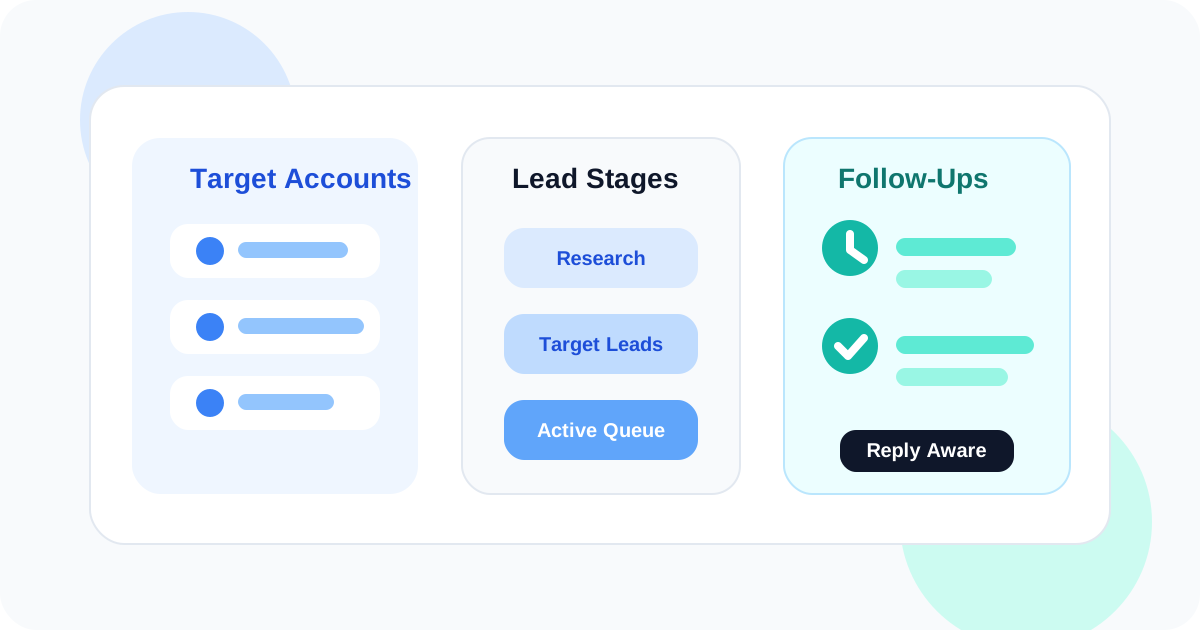
A LinkedIn lead tracking tool keeps account-based prospecting organized by separating research-stage contacts from active outreach, preserving follow-up timing, and making it easier to work across multiple stakeholders inside the same account. The goal is not a bigger list. It is a cleaner sequence of next actions.
Account-based prospecting creates a different kind of mess than generic outbound. You are not just tracking one person at a time. You are working across accounts, roles, signals, and timing windows. Some people belong in research. Some are ready for the first message. Some have already replied and need a different next step entirely.
That is why a strong LinkedIn lead tracking tool needs more than profile storage. It should help you stage contacts properly, avoid turning every interesting person into an active follow-up, and keep the browser workflow clear enough that you can move account by account instead of losing momentum in one long mixed list.
If you want the broad category page first, start with the main guide to a LinkedIn lead tracking tool. This article focuses on the narrower account-based prospecting use case where stage design matters more than raw volume.
Why account-based prospecting changes the tracking problem
| Account-based reality | What breaks without structure | What the tool should do |
|---|---|---|
| Several contacts belong to one account | Important people get mixed with lower-priority names | Let you stage and prioritize contacts before outreach |
| Research and messaging happen in phases | Everything enters the same active list too early | Separate target leads from tracked conversations |
| Stakeholders reply at different speeds | Queue accuracy drops as states diverge across the account | Keep reply-aware follow-up timing per contact |
| Priorities shift as signals change | The list stays static while the account evolves | Make the next step easy to review and update |
The stages a LinkedIn lead tracking tool should support
Account-based prospecting gets much easier when the system respects stage boundaries. Without them, every contact looks equally urgent and the whole account view becomes noisy.
- Target account research: you know the company matters, but you are still mapping people and signals.
- Target lead staging: a contact is worth saving, but not yet ready for active follow-up.
- Active outreach: the contact now belongs in a timed queue with a clear next action.
- Reply handling: once the person answers, the workflow shifts from reminder logic to conversation management.
DMnesia aligns well with that staged model. The Target Leads layer helps keep account mapping separate from active follow-up, while the Today queue keeps active conversations visible once a contact deserves real motion.
How DMnesia helps with account-based lead tracking
It protects the active queue from research clutter
In ABM-style work, there are always more interesting people than immediate follow-ups. DMnesia helps you stage those contacts instead of treating every saved profile like an urgent task. That same staging concept shows up in LinkedIn target leads pipeline and LinkedIn prospect pipeline scoring.
It keeps next steps close to the browser workflow
Account-based prospecting involves a lot of profile review and message context. The closer the tracking layer stays to LinkedIn, the easier it is to move between stakeholders without losing the thread.
It cleans up stale urgency after replies
Multi-contact outreach gets confusing when replied and unreplied people are treated the same way. Reply-aware cleanup reduces that confusion and makes the account-level picture easier to trust.
Practical ABM rule: do not put a contact into active outreach just because they look promising. Stage them first, then move them only when there is a clear reason for a timed next step.
Lead tracking tool choices for account-based teams
| Approach | When it helps | Main drawback |
|---|---|---|
| One master prospect list | Fast to start with low account complexity | Does not handle stages or multi-contact motion well |
| Heavy CRM account setup | Useful when the whole sales org already runs in CRM rigor | Often too far from the LinkedIn workflow for daily execution |
| Browser-native lead tracker with staging | Best for keeping target accounts and active follow-up distinct | Requires clear habits around promotion into active outreach |
What to evaluate before picking the tool
- Can the tool separate target research from active follow-up?
- Can you manage several stakeholders without turning the queue into noise?
- Does it keep timing visible contact by contact?
- Does the system stay accurate after replies start arriving?
- Will reps actually use it while working inside LinkedIn?
Those questions matter more than an oversized feature list. If the tool cannot keep the account workflow clean, it will not matter how many export options it has. Teams building a broader account motion should also compare Chrome extension for LinkedIn pipeline team edition and how sales teams manage LinkedIn outreach across reps.
Frequently asked questions
What does a LinkedIn lead tracking tool do in account-based prospecting?
It helps you organize target accounts, save useful contacts, stage people before outreach starts, and keep active follow-ups visible once a conversation deserves real motion.
Why is account-based prospecting hard to track on LinkedIn?
Because research, prioritization, and messaging happen at the same time across several contacts. Without strong stages, everything collapses into one mixed list.
How does DMnesia help with lead tracking?
DMnesia separates target leads from tracked contacts, keeps timing visible in a Today queue, and helps reps handle account-based outreach without creating extra browser friction.
Use DMnesia to keep account-based LinkedIn prospecting organized
Install DMnesia to stage target leads, promote the right contacts into active outreach, and keep your LinkedIn follow-up queue clean.
Install DMnesia for Chrome