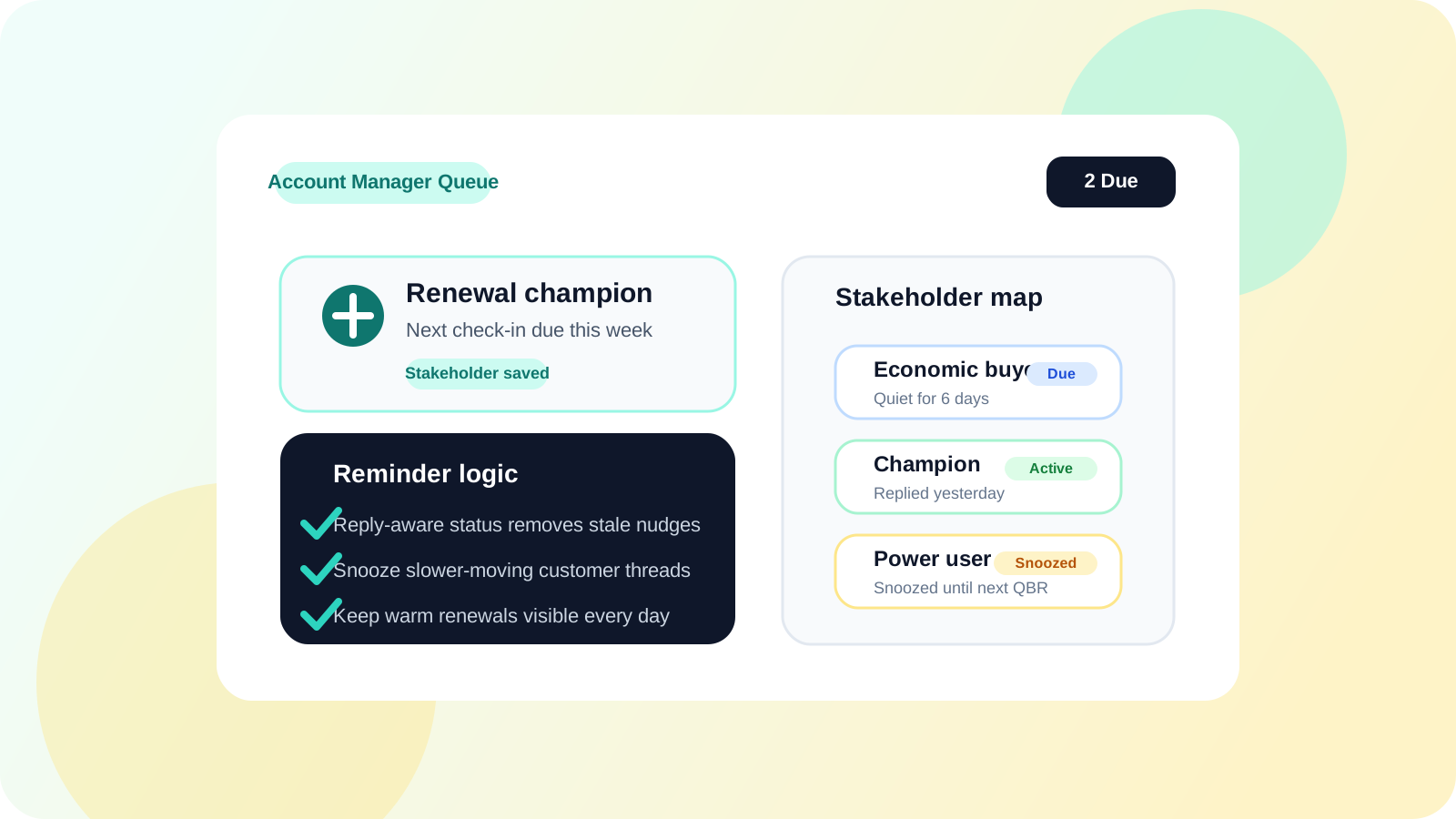
If you need a tool that reminds you to follow up on LinkedIn DMs for account management, the best option is one that keeps stakeholder context attached to the reminder. Account managers are not chasing cold leads. They are protecting renewals, expansions, introductions, and champion relationships that can go quiet if the next touch disappears from view.
This is why generic reminder advice often misses the mark for account managers. A cold-outbound queue is built for volume. An account-management queue needs to preserve relationship memory across longer cycles, multiple contacts, and touchpoints that may be weeks apart but still commercially important.
The right reminder tool should feel calm, not noisy. It should surface the next meaningful touch, stop nudging when someone replies, and help the account owner pick up the thread without reassembling the history from several systems.
Why account managers need a different reminder workflow
When an account manager says “I need a tool that reminds me to follow up on LinkedIn DMs,” the hidden requirement is usually context. They do not just need a reminder date. They need to remember who this stakeholder is, what the conversation was about, and whether the message still matters.
| Account manager scenario | Reminder need | Why generic tools fail |
|---|---|---|
| Renewal champion goes quiet | Follow up at the right moment with prior context | A plain task does not show the relationship history |
| Expansion thread with several stakeholders | Know who still needs a touch and who already replied | One flat reminder cannot represent multiple contacts cleanly |
| Quarterly check-in | Reopen the conversation naturally | The thread gets buried between internal meetings and CRM updates |
That is why the workflow has to be close to LinkedIn itself. The reminder only helps if the account manager can act on it immediately with the relevant context still visible.
What a LinkedIn DM reminder tool for account managers should actually do
1. Save stakeholders the moment they matter
Relationship work gets fragile when the system expects perfect future admin. The better model is to save a stakeholder instantly when the thread becomes commercially important. DMnesia’s one-click tracking fits this because it captures the person while the context is still fresh.
2. Show a due queue that reflects real relationships
Account managers need a queue that feels like a relationship operating list, not a prospecting scoreboard. The best version shows who needs attention today, who already replied, and which threads can be snoozed without losing the account map.
3. Stop overdue reminders after replies
Nothing makes a reminder system feel untrustworthy faster than seeing a stakeholder marked overdue after they already answered. Reply-aware tracking matters because it keeps the queue honest. For the reply workflow itself, read how to detect when a LinkedIn lead has replied.
4. Support longer cycles without turning quiet threads into clutter
Account management follow-up is often slower than outbound follow-up. Good reminder tools handle that with snooze, archive, and simple cadence control instead of shoving everything into the same urgent list.
AM test: the right reminder tool helps you reopen a stakeholder conversation with confidence, not just remember that some message once happened.
A practical account-manager reminder workflow
The strongest account-manager flow starts by tracking the right stakeholders, then reviewing a clean daily queue, then adjusting the thread after replies or changing account conditions. That lets the account owner keep warm conversations alive without stuffing every single touch into a heavyweight CRM routine.
| Moment | Best rep action | What the reminder tool should do |
|---|---|---|
| After a customer intro | Track the new stakeholder immediately | Schedule a follow-up without losing the original context |
| After a renewal conversation | Set the next relevant nudge | Place the contact back in the queue at the agreed timing |
| When the account goes quiet | Review only the threads worth reviving | Keep the list clean with snooze or archive controls |
Where DMnesia fits for account managers
DMnesia works well for account managers because it combines fast profile capture, a Today queue, reply detection, badge reminders, and manual-first controls inside the browser. That gives relationship owners a practical memory layer without making LinkedIn follow-up feel like extra paperwork.
- Save a stakeholder in one click before the thread goes cold.
- Review due follow-ups without scanning scattered notes or calendar tasks.
- Use reply-aware status to avoid awkward follow-ups after a customer answers.
- Archive or snooze slower-moving threads so the daily queue stays useful.
If you want the broader no-CRM account-owner workflow, pair this page with tracking LinkedIn conversations without a CRM for account managers. If you are comparing reminder categories more generally, the closest companion reads are browser-based LinkedIn reminder tool and LinkedIn follow-up reminder tool for account executives.
For account coverage that spans several reps, the team workflow is explained further in how sales teams manage LinkedIn outreach across reps and shared LinkedIn outreach dashboard.
People also ask
Is there a tool that reminds account managers to follow up on LinkedIn DMs?
Yes. The best tool saves stakeholder profiles, surfaces due follow-ups, detects replies, and keeps the reminder queue tied to relationship context instead of cold-outbound volume.
Why do account managers need a different LinkedIn reminder workflow?
Account managers work longer relationship cycles with several contacts per account. They need reminders that preserve context, not just due dates.
Should account managers track LinkedIn follow-ups in a CRM only?
A CRM helps with shared records, but most account managers still need a browser-level reminder layer for daily execution. The day-to-day risk is dropped timing, not missing a database row.
Conclusion: relationship reminders need context, not just timing
A tool that reminds account managers to follow up on LinkedIn DMs should do more than schedule nudges. It should help relationship owners reopen the right thread with the right context and keep replied contacts out of the wrong queue.
That is why a browser-native tool like DMnesia is useful here. It keeps stakeholder memory close to LinkedIn, supports manual judgment, and protects warm customer conversations from slipping into silence.
Keep stakeholder follow-ups visible
Use DMnesia to track LinkedIn stakeholders, surface due reminders, and protect account-manager follow-up timing without heavier CRM overhead.
Install DMnesia for ChromeFrequently asked questions
Is there a tool that reminds account managers to follow up on LinkedIn DMs?
Yes. The strongest tools combine fast contact capture, due reminders, and reply awareness so account managers can keep stakeholder relationships warm without extra admin.
What matters most in a LinkedIn reminder tool for account managers?
Context, queue quality, and reply awareness matter most. A simple due date is not enough if the tool cannot help you understand the relationship behind the task.
Can account managers stay organized on LinkedIn without a full CRM motion?
Yes. A browser-level reminder workflow often solves the daily execution problem, especially when the goal is to protect warm stakeholder follow-up timing rather than build a full operational data model.