A LinkedIn follow-up reminder tool helps account executives keep warm conversations moving by showing what is due today, clearing stale nudges after replies, and making it easy to reopen the right thread without rebuilding context. The best setup feels like an extension of the deal workflow, not a separate admin chore.
Account executives do not usually struggle because they forget that follow-up matters. They struggle because LinkedIn follow-up competes with live deals, forecast calls, demos, proposals, and account planning. By the time there is space to think, the best moment for the nudge has already passed.
That is why this keyword deserves its own angle. A general reminder tool article speaks to everyone. An AE-specific article needs to solve a narrower problem: how to protect warm LinkedIn conversations when your day is shaped by pipeline movement, not by a clean block of prospecting time.
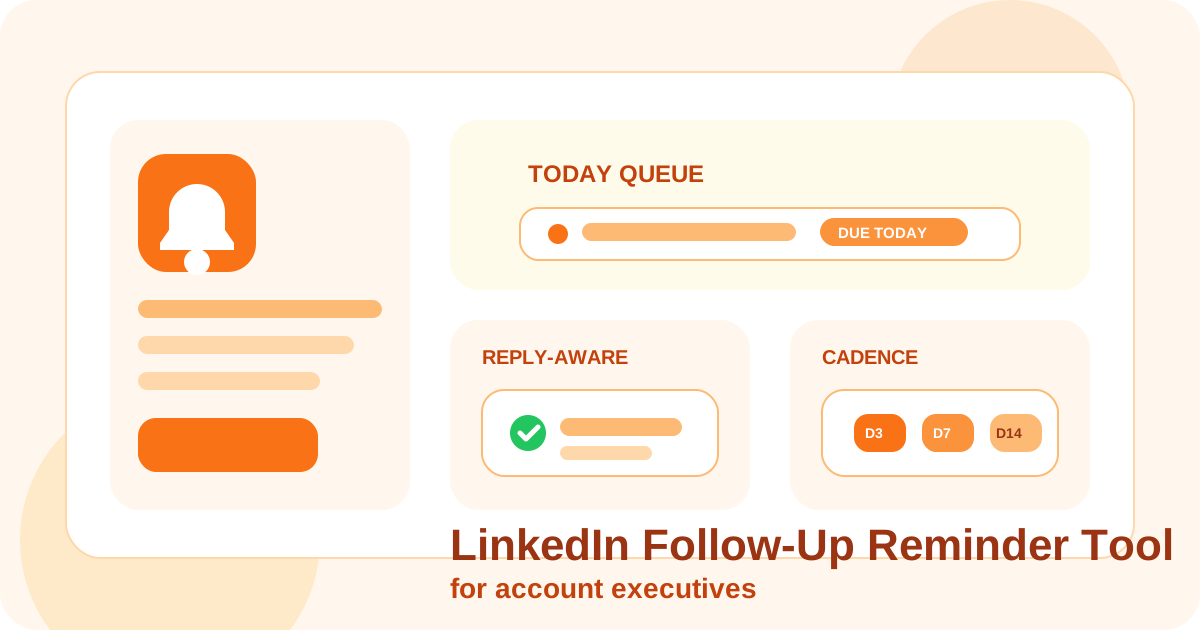
DMnesia fits that operating model well because it gives AEs a browser-native way to track contacts, work from a Today queue, use a default day 3, day 7, day 14 cadence, and rely on reply-aware cleanup so answered threads do not keep showing up as fake urgency.
If you want the broader category definition first, start with the main guide to a LinkedIn follow-up reminder tool. This page is for account executives who already know reminders matter and need a workflow that survives a busy pipeline. If your real evaluation is centered on inbox-state and thread visibility, the companion category page is LinkedIn DM tracking software for account executives.
Why AEs need a different reminder workflow than pure outbound reps
| AE reality | What breaks | What the reminder tool should do |
|---|---|---|
| Days are fragmented by meetings | Good LinkedIn follow-ups get delayed until the energy is gone | Keep today’s due conversations visible in one simple queue |
| Some conversations are expansion-related | Prospects and account contacts get mixed together | Preserve context on why this person matters right now |
| Replies can restart the motion quickly | Old reminders stay active and create queue noise | Use reply-aware logic that clears or downgrades stale follow-ups |
| LinkedIn is one channel among many | The follow-up disappears behind email and CRM work | Make LinkedIn next steps easy to reopen without context loss |
What an AE should actually track in the reminder layer
Most AEs do not need a giant task tree for LinkedIn. They need a small set of decisions surfaced at the right moment.
- Who is due today? The list has to be short, believable, and easy to act on.
- Why is this follow-up important? Warm opportunity, multithreading, expansion, referral, or stalled deal context should be clear.
- Has the person already replied? If yes, the reminder should stop pretending the thread is cold.
- What is the next move? Reopen the chat, send a short note, or move the thread out of the active queue.
That is also why many generic task tools fail for AEs. They can remind you that something exists, but they do not preserve enough conversation context to make the next step obvious. A LinkedIn-specific reminder tool has to stay close to the thread itself.
How DMnesia helps account executives keep LinkedIn follow-up clean
The Today queue protects attention
An AE rarely has time to browse a long backlog. DMnesia surfaces due work in a Today view so the next batch of follow-ups is already waiting when there is a natural gap between calls.
Reply detection reduces false urgency
One of the most annoying parts of a weak reminder system is seeing a thread flagged as overdue after the prospect already answered. DMnesia uses reply awareness to keep that queue cleaner. If reply-state visibility is your biggest problem, the deeper guide on how to detect when a LinkedIn lead has replied goes further on that workflow.
Templates speed up the right kind of consistency
Account executives often know roughly what they want to say, but not fast enough to write it from scratch between other priorities. Saved templates help remove blank-page delay while still letting the AE personalize the note before sending.
The cadence creates habit without overcomplication
Many teams already like a day 3, day 7, day 14 rhythm because it is simple and visible. DMnesia can support that style of execution while keeping the rep in control of the send. If you want the operating logic behind that cadence, read day 3, day 7, day 14 follow-up cadence.
And if the bigger challenge is what each touch should actually say, the companion guide to a LinkedIn follow-up sequence template for account executives is the right next read.
AE rule: if the reminder queue becomes less trustworthy than your memory, the tool has already failed. A good queue should make you calmer about follow-up, not more suspicious of it.
Choosing between reminder approaches
| Approach | Where it helps | Where it usually breaks for AEs |
|---|---|---|
| Calendar reminders | Useful for a handful of high-value conversations | Hard to scale, weak on reply-state and list cleanup |
| CRM tasks | Helpful for reporting and account governance | Too far from the LinkedIn thread for fast daily execution |
| Browser-native LinkedIn reminders | Best when speed and context matter most | Only works if the queue design stays disciplined |
What to evaluate before adopting a LinkedIn follow-up reminder tool
- Can the tool stay useful on busy meeting days?
- Will the queue shrink when people reply, or only grow?
- Can the AE reopen the right conversation quickly?
- Does it support short, repeatable follow-up habits instead of giant admin sessions?
- Can it live beside the broader CRM instead of forcing work away from LinkedIn?
For teams trying to recover a softer part of the funnel, it also helps to compare reminder quality with the broader strategy articles on LinkedIn reply rate optimization and how to follow up on LinkedIn without being annoying. Reminder quality affects both of those outcomes more than most teams realize.
What good AE follow-up looks like in practice
In most AE workflows, the right reminder does not trigger a long sequence. It triggers a fast decision. Open the conversation, review the last exchange, and choose the next move with context still intact. That is usually a short nudge, a resource send, a timing check, or a clean exit from the queue.
The reminder layer matters because it protects judgment. When the queue is clean, the AE can spend energy on message quality. When the queue is bloated, the rep spends energy deciding what to ignore. Over time that difference affects reply rates, pipeline hygiene, and how confidently the team uses LinkedIn as a real relationship channel.
- Healthy reminder behavior: fewer but better follow-ups, stronger timing, and less queue distrust.
- Unhealthy reminder behavior: endless overdue tasks, duplicate nudges, and reps quietly switching back to memory.
Frequently asked questions
Why do account executives need a LinkedIn follow-up reminder tool?
Because AEs usually follow up between many other priorities. A reminder tool protects timing and keeps warm conversations visible when the day is dominated by meetings and active deals.
What should an AE reminder workflow include?
It should include profile capture, a visible due queue, reply-aware cleanup, and a simple way to reopen the right conversation without rebuilding context from scratch.
How does DMnesia help account executives follow up on LinkedIn?
DMnesia helps account executives track LinkedIn contacts, work from a Today queue, use a repeatable cadence, and clear stale reminders once a prospect replies.
Use DMnesia to keep LinkedIn follow-ups organized
Track contacts, protect follow-up timing, and keep the AE queue clean without turning LinkedIn into another admin system.
Install DMnesia for Chrome