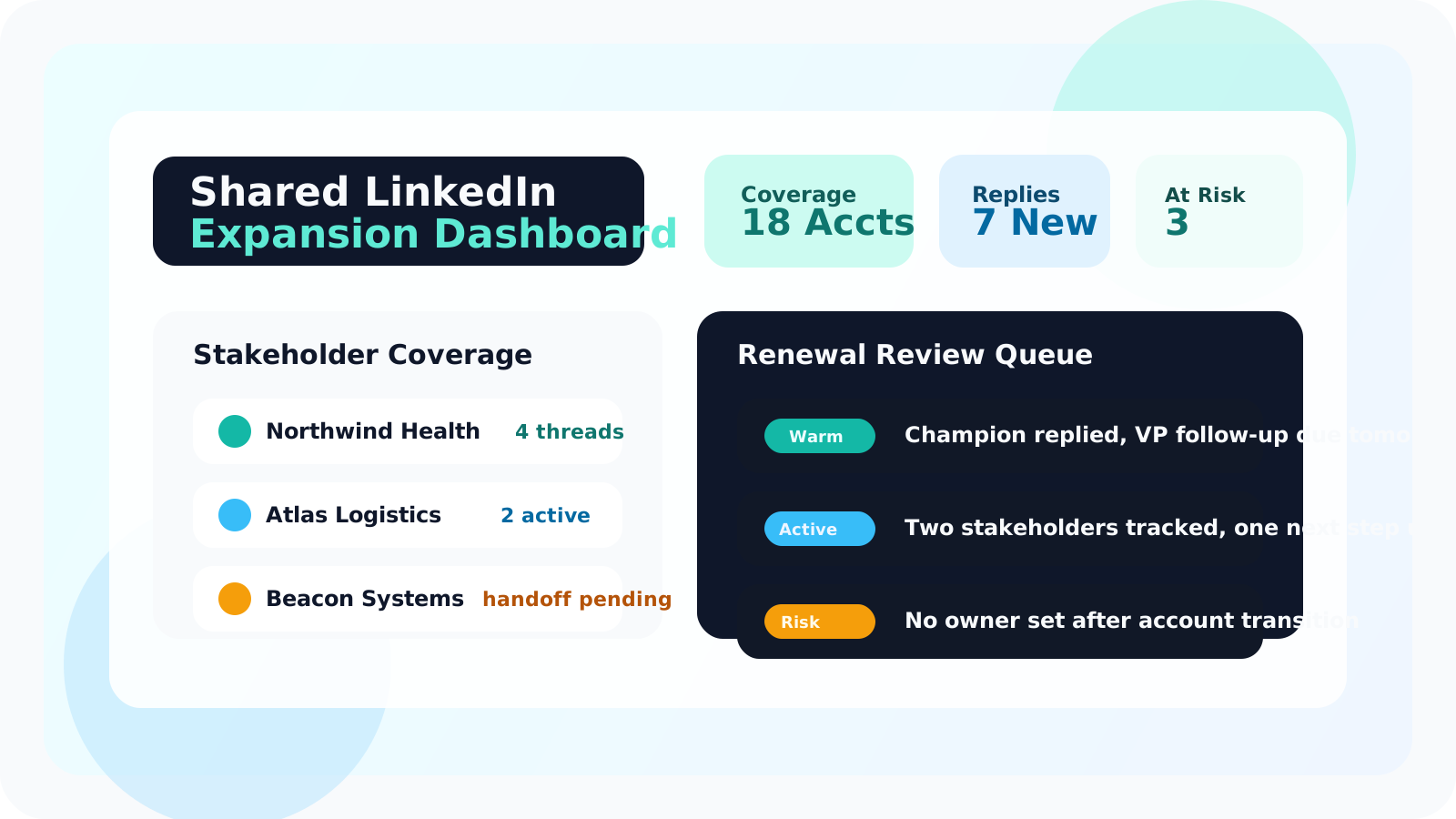
A shared LinkedIn outreach dashboard for expansion teams should show stakeholder coverage, upcoming follow-ups, recent replies, and account ownership in one place. When renewal and expansion conversations live across several LinkedIn threads, a shared dashboard keeps warm context visible instead of buried inside one account manager’s browser.
That need is different from new-logo outbound. Expansion teams are not just chasing volume. They are protecting trust with existing champions, identifying new stakeholders, and staying coordinated when an account has several parallel conversations moving at once.
That is why the right dashboard feels more like an account continuity layer than a leaderboard. DMnesia fits that workflow by letting each rep track LinkedIn profiles and due follow-ups inside the browser, then rolling shared activity into a team portal that managers can use for visibility, invites, and oversight.
If your expansion motion already depends on warmer relationship building, pair this page with relationship-first LinkedIn selling for client expansion. It explains the conversation style that a dashboard is meant to support, not replace.
Why expansion teams need a different dashboard than SDR teams
Most generic outreach dashboards are built around one question: how much did each rep do this week? That is too shallow for post-sale work. Expansion teams need to know whether the right stakeholders are covered and whether the next touchpoint is still clear.
- Renewal risk can hide inside silence when the champion has stopped replying and nobody notices for two weeks.
- Multi-threaded accounts are fragile when one owner leaves or hands the book to someone new.
- Warm introductions need context because a second stakeholder conversation rarely starts from zero.
- Managers coach account strategy rather than pure activity volume.
| Dashboard lens | New-logo outbound teams | Expansion teams |
|---|---|---|
| Primary concern | Top-of-funnel volume and sequence execution | Stakeholder continuity and renewal momentum |
| Best signal | Contacts added, touches sent, due follow-ups | Account coverage, recent replies, next owner action |
| Manager question | Who is building enough pipeline? | Which accounts are warm, drifting, or uncovered? |
What a shared LinkedIn outreach dashboard should show for expansion teams
Account-level coverage, not just rep-level activity
A useful dashboard should answer whether each account has active stakeholder coverage. If one champion goes quiet, the team needs to know whether another relationship is progressing or whether the account is exposed.
Reply-aware follow-up visibility
Expansion teams work with warmer threads, so false urgency is costly. If a stakeholder already replied, the queue should reflect that. DMnesia’s reply-aware workflow is useful here because it helps teams avoid chasing the wrong “overdue” task while a live conversation is already moving.
Ownership clarity during handoffs
Account transitions are where warm LinkedIn context gets lost. A shared dashboard should make it obvious who owns the next touchpoint and where the conversation last moved. The guide on managing LinkedIn outreach across reps after handoffs goes deeper on this exact failure mode.
Simple standard: if your expansion manager still needs screenshots or Slack pings to understand account coverage, the dashboard is reporting too late. The team should be able to see the relationship map while there is still time to act.
A practical workflow for using the dashboard in weekly expansion reviews
The best shared dashboard becomes part of the meeting rhythm. It should not exist only as an archive.
| Review step | What the team checks | Why it matters |
|---|---|---|
| Coverage check | Which strategic accounts have only one active stakeholder thread | Single-threaded relationships create renewal risk |
| Follow-up check | Which warm accounts have due next steps without a planned owner | Momentum slips when follow-up is nobody’s job |
| Reply check | Which accounts became active again in the last few days | Fresh replies are expansion opportunities, not just status updates |
| Handoff check | Where ownership changed and context still needs reinforcement | Protects continuity through team changes |
How DMnesia supports this shared dashboard model
DMnesia is useful because it keeps the system of action close to LinkedIn while still giving the team a shared layer. Reps can save profiles, schedule reminders, work the due queue, and detect replies from inside the browser. Managers then see the rollup in the portal instead of chasing each person for updates.
- One-click profile tracking captures warm stakeholders at the moment they matter.
- Today and badge views make due follow-ups visible before the week gets away from the team.
- Team portal visibility gives leadership a cleaner operating picture across reps.
- API access on team plans gives RevOps a path to sync shared relationship data later.
That makes the dashboard operational instead of decorative. If you are building the measurement side next, read team LinkedIn outreach analytics for the KPI layer that sits on top of this same workflow. If you want the generic manager view first, the broader guide to shared LinkedIn outreach dashboards covers the category baseline.
Common mistakes expansion teams make with LinkedIn dashboarding
The most common mistake is borrowing an SDR dashboard and assuming it will work after the sale. Expansion teams do not need more vanity activity charts. They need an instrument panel for warm relationships.
- Overweighting raw touch counts instead of account continuity.
- Ignoring stakeholder mapping until the champion disappears.
- Treating every follow-up the same even when one thread is a renewal blocker and another is low urgency.
- Separating handoff notes from the live workflow so the new owner starts blind.
Conclusion: the best shared dashboard protects relationship memory
A shared LinkedIn outreach dashboard for expansion teams is not about watching reps more closely. It is about protecting the account memory that renewals and upsells depend on.
When the dashboard shows coverage, replies, and next ownership clearly, expansion work becomes more deliberate and far less fragile.
Keep warm LinkedIn accounts visible across the team
Use DMnesia to track stakeholder follow-ups in LinkedIn and give managers a shared portal for expansion visibility, handoffs, and account continuity.
Explore the Team PortalFrequently asked questions
What should a shared LinkedIn outreach dashboard show for expansion teams?
It should show stakeholder coverage, open follow-ups, recent replies, owner visibility, and accounts where the relationship is warming or drifting. Expansion teams need less raw volume reporting and more account-level continuity.
Why is LinkedIn outreach visibility important after the sale?
Because renewals, champions, and expansion conversations often happen across several stakeholders over time. Without a shared view, warm context disappears when account owners change or when follow-ups live only in one person’s memory.
How does DMnesia help expansion teams on LinkedIn?
DMnesia keeps browser-native follow-up tracking close to each LinkedIn profile, then gives teams a shared dashboard and portal layer so managers can see coverage, activity, and next steps across the book of business.