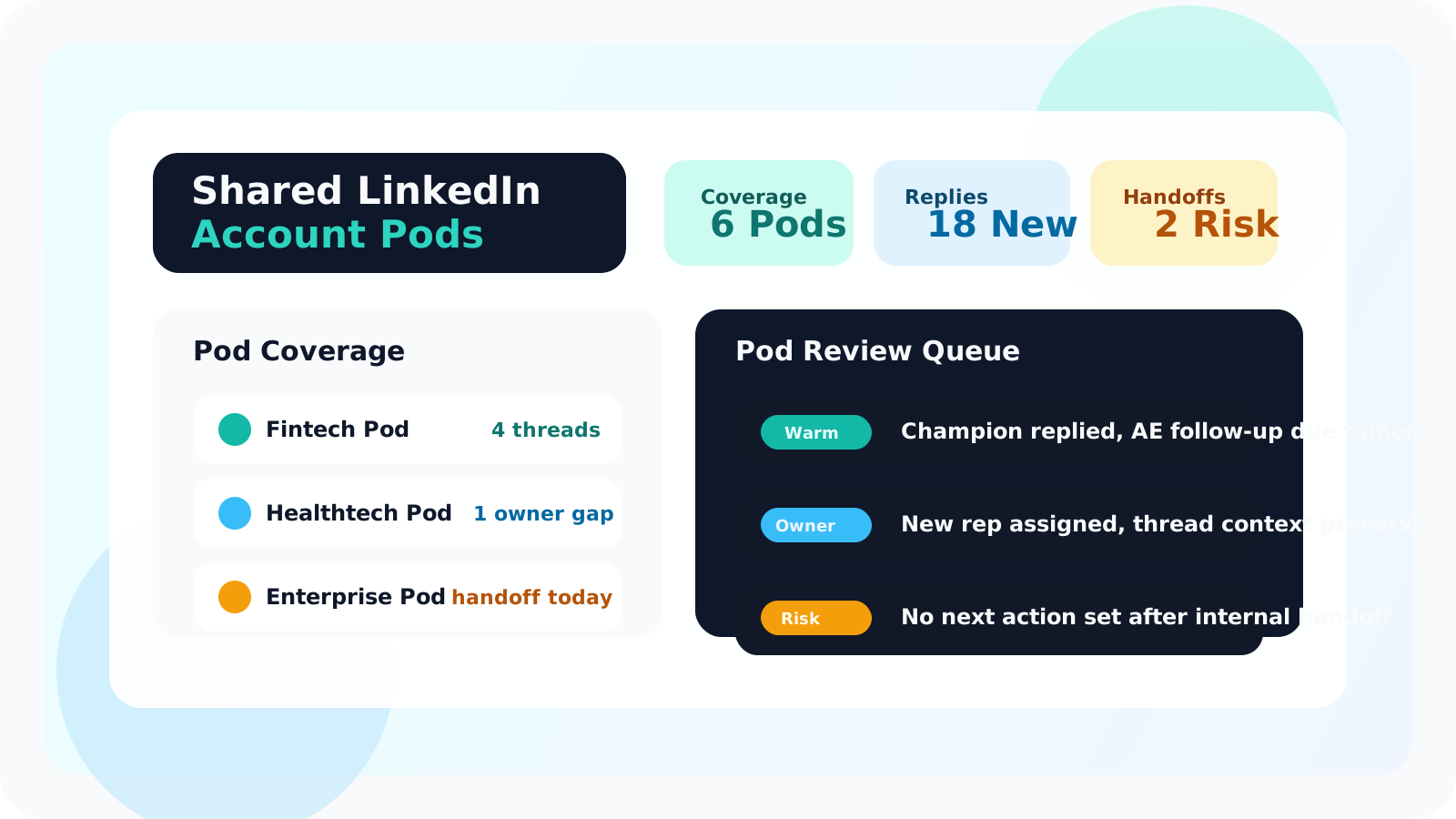
A shared LinkedIn outreach dashboard for account pods should show stakeholder coverage, recent replies, pending follow-ups, and clear ownership across the pod. When SDRs, AEs, and account managers all touch the same account, one shared view is what keeps warm LinkedIn context from disappearing between reps.
That need is different from a simple team leaderboard. Account pods are not just comparing who added the most contacts this week. They are protecting continuity across multi-threaded accounts, internal handoffs, and expansion conversations that may change owners several times before revenue lands.
DMnesia fits that operating model because the extension keeps the rep workflow inside LinkedIn while the team portal adds the shared layer. Reps can track profiles, work due follow-ups, and detect replies from the browser. Managers and pod leads can then look at the rollup instead of rebuilding context from screenshots and Slack messages.
If you need the broader category first, start with shared LinkedIn outreach dashboard. This page focuses specifically on pod-based teams where ownership changes and stakeholder coverage matter more than raw activity alone.
Why account pods need a different dashboard than individual reps
A single rep can manage their own queue with a good browser workflow. A pod cannot. The moment more than one person carries the relationship, the dashboard has to answer pod-level questions, not just rep-level ones.
- Stakeholder coverage matters more than simple volume because accounts often span several contacts and functions.
- Internal handoffs happen constantly between prospecting, sales, and post-sale motion.
- Reply awareness changes who should act next because one live thread can affect the whole pod strategy.
- Managers need to spot ownership gaps early before warm accounts drift into silence.
| Dashboard lens | Individual rep workflow | Account pod workflow |
|---|---|---|
| Main question | Who do I need to follow up with today? | Which account threads are covered, ownerless, or heating up? |
| Best signal | Due queue and reply status | Coverage depth, handoff state, and shared follow-up visibility |
| Manager use | Coach one rep | Coordinate the whole account pod |
What a shared LinkedIn outreach dashboard should show for account pods
Account-level stakeholder coverage
The dashboard should answer whether the pod is single-threaded or multi-threaded on the account. If a champion goes quiet, the team needs to know whether another relationship is active or whether the account is exposed.
Ownership clarity after handoffs
A pod dashboard has to make ownership obvious. If one rep books the meeting, another runs the deal, and a third supports post-sale follow-up, the next action cannot stay ambiguous. The related guide on managing LinkedIn outreach across reps after handoffs goes deeper on that failure mode.
Reply-aware queue health
Pods need a queue that reflects reality. When a stakeholder replies, the team should stop treating that thread like a stale pending reminder. DMnesia’s reply-aware workflow is useful here because it keeps pod reviews focused on real opportunities and real gaps.
Pod rule: if the team cannot tell who owns the next LinkedIn touch on a strategic account, the dashboard is missing the one job that matters most.
How to use the dashboard in a weekly pod review
The best pod dashboards become part of the weekly operating rhythm. They should shorten decision-making, not just archive last week’s activity.
| Review step | What the pod checks | Why it matters |
|---|---|---|
| Coverage check | Which named accounts still rely on one active LinkedIn thread | Single-threaded pods create avoidable revenue risk |
| Reply check | Which accounts had fresh replies in the last few days | Warm threads should change priority immediately |
| Handoff check | Where ownership changed without a clear next action | Pods lose momentum fastest during internal transitions |
| Risk check | Which accounts have overdue follow-ups or silent stakeholders | Silence is easier to fix when the team sees it early |
How DMnesia supports the account pod workflow
DMnesia stays manual-first and browser-native for the rep, which matters because LinkedIn context still lives with the person actively working the conversation. The portal adds the team layer around that motion, giving pods a shared operating picture without forcing every step into a separate admin tool.
- One-click profile tracking captures stakeholders the moment they matter.
- Today and badge visibility keep due work obvious before it slips.
- Reply-aware cleanup keeps fresh threads from mixing with stale backlog.
- Team portal visibility gives pod leads and managers a clearer coverage view.
If your teams run post-sale coverage rather than mixed pods, the companion article on shared LinkedIn outreach dashboard for expansion teams is the closer match. If the next layer is measurement and governance, read team LinkedIn outreach analytics and LinkedIn outreach dashboard for RevOps.
People also ask about shared LinkedIn outreach dashboards for account pods
What should a shared LinkedIn outreach dashboard show for account pods?
It should show stakeholder coverage, pending follow-ups, recent replies, and ownership clarity across the pod so SDR, AE, and post-sale teammates do not lose context between touches.
Why do account pods need a different LinkedIn dashboard than solo reps?
Because pods share accounts, handoffs, and stakeholder coverage. A solo dashboard can show one rep’s tasks, but a pod dashboard has to show relationship continuity and who owns the next move.
How does DMnesia help account pods on LinkedIn?
DMnesia keeps rep-side tracking, reminders, and replies close to LinkedIn, then adds a shared portal layer so pods can see team lead volume, member activity, and ownership more clearly.
Conclusion: pods need a relationship view, not just a task list
A shared LinkedIn outreach dashboard for account pods should make continuity visible. The real value is not just seeing what one rep has due. It is knowing whether the whole pod is covering the account well enough to keep momentum alive.
If your current pod review still depends on each rep retelling the account history from memory, the workflow is too fragile. The dashboard should already be carrying that context.
Give each account pod one shared LinkedIn view
Use DMnesia to keep browser-side follow-up moving while pod leads and managers see coverage, replies, and ownership in the team portal.
Explore the Team PortalFrequently asked questions
What should a shared LinkedIn outreach dashboard show for account pods?
It should show stakeholder coverage, pending follow-ups, recent replies, and ownership clarity across the pod so SDR, AE, and post-sale teammates do not lose context between touches.
Why do account pods need a different LinkedIn dashboard than solo reps?
Because pods share accounts, handoffs, and stakeholder coverage. A solo dashboard can show one rep's tasks, but a pod dashboard has to show relationship continuity and who owns the next move.
How does DMnesia help account pods on LinkedIn?
DMnesia keeps rep-side tracking, reminders, and replies close to LinkedIn, then adds a shared portal layer so pods can see team lead volume, member activity, and ownership more clearly.