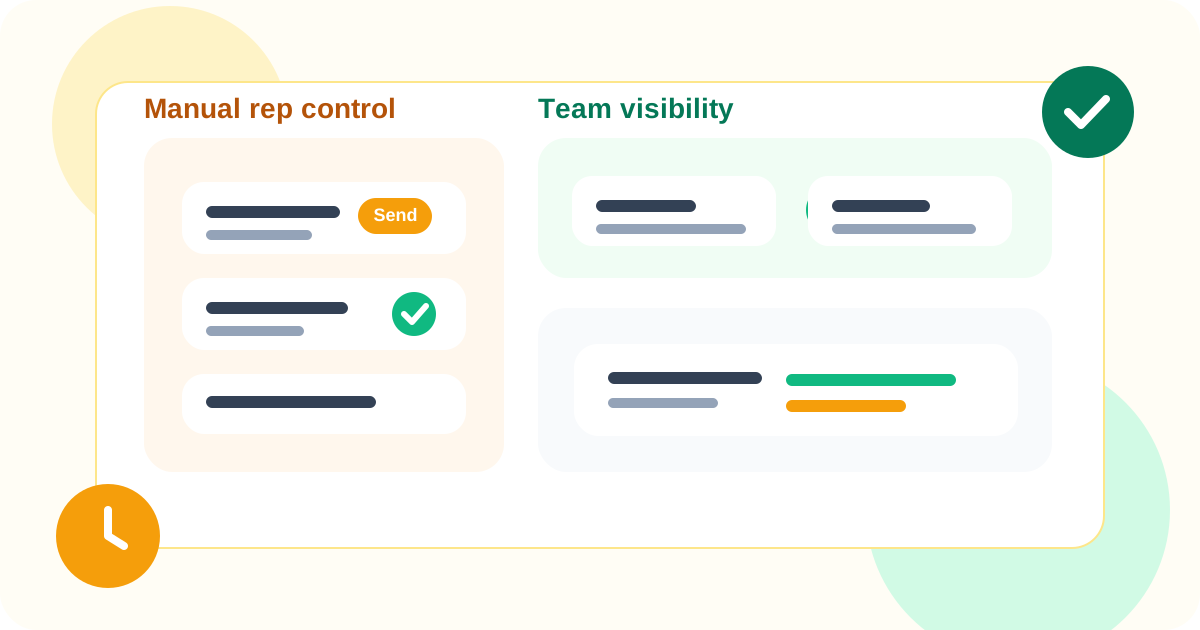
LinkedIn outreach compliance with TOS for sales teams usually means one operational choice: the rep stays in control. Teams can still use reminders, templates, dashboards, and reporting, but the system should not auto-send outreach actions on the rep’s behalf if the goal is a lower-risk, more defensible workflow.
That is especially important at team scale. A solo seller can get away with messy habits for a while. A multi-rep team cannot. Managers need visibility. Reps need consistency. RevOps needs usable data. The temptation is to solve all three with more automation, but that often creates exactly the compliance tension the team was trying to avoid.
DMnesia takes the opposite angle. It gives sales teams a browser-native system for manual tracking, reply-aware reminders, template support, shared visibility, and API-connected reporting while keeping the human responsible for the actual send.
What compliant LinkedIn workflow design looks like for a sales team
Teams usually need policy translated into operating behavior. The easiest way to do that is to separate support features from execution features.
| Workflow layer | Lower-risk team pattern | Why it matters |
|---|---|---|
| Contact tracking | Track people reps actively work from the browser | Keeps the workflow tied to real, visited profiles |
| Follow-up execution | Use reminders and due queues, then send manually | Preserves human review of every outreach action |
| Message drafting | Use templates as prompts, not auto-sequences | Maintains tone control and contextual editing |
| Management visibility | Expose reporting through a portal or API | Gives oversight without forcing auto-execution |
Where sales teams get into trouble
1. They confuse scale with auto-execution
Teams often assume a process does not scale unless the software performs the action for them. In practice, many teams only need better reminders, cleaner prioritization, and more visible coverage. That is a workflow design issue, not an argument for auto-sending.
2. They want manager visibility without rep friction
That is a real need. The wrong answer is forcing every rep into a giant logging burden or slipping into aggressive automation. The better answer is a tool that keeps daily execution in the browser while surfacing team data through a shared layer. DMnesia supports that with dashboards and API access around the manual workflow.
3. They let templates drift into impersonation
Templates are useful when they reduce blank-page friction. They become risky when they remove judgment. Teams need a system where templates help reps start, but reps still choose what to send and when to send it. That is one reason the manual-first framing in LinkedIn outreach without sending automated messages matters so much.
Manager test: if your process can show who is due, who replied, and where coverage is weak without sending anything automatically, you are much closer to a durable team workflow.
How DMnesia helps teams stay organized without auto-sending
DMnesia is useful because it supports team discipline without pretending the rep should disappear from the process.
- Save contacts from visited profiles so the workflow starts where reps actually work.
- Use a Today queue and badge reminders to keep due follow-ups visible.
- Stop or skip reminders when replies arrive so the queue reflects reality.
- Share templates and views so teams can stay consistent without copy-pasting chaos.
- Expose data to managers through team dashboards and API-connected workflows.
If you want the generic framework, read LinkedIn outreach compliance with TOS. If the team is specifically focused on privacy and restraint, pair it with privacy-friendly LinkedIn outreach tracker. And if the main buying question is lower-risk positioning, the closest adjacent page is LinkedIn tracker that does not get banned.
A cleaner operating model for compliant LinkedIn teams
The pattern is straightforward:
- Keep rep action manual so judgment stays attached to the message.
- Automate awareness, not outreach by surfacing due work, replies, and gaps in coverage.
- Separate execution from reporting so managers get visibility without bloating the rep workflow.
- Use the browser as the operating layer because that is where LinkedIn work actually happens.
That model is easier to explain internally, easier to roll out, and easier to defend than a stack built around hidden execution. If your team is evaluating tools right now, the best product-level comparison point is the DMnesia pricing page.
Compare DMnesia as a lower-risk LinkedIn team workflow
Keep reps in control while your team still gets reminders, visibility, and cleaner follow-up coverage on LinkedIn.
Install DMnesia for ChromeFrequently asked questions
What does LinkedIn outreach compliance with TOS mean for sales teams?
It usually means reps stay in control of sending while the tool helps with reminders, visibility, and coordination instead of performing outreach actions automatically.
Can a sales team still use a Chrome extension and stay compliant on LinkedIn?
Yes. A Chrome extension can fit a safer workflow if it behaves like a productivity layer and every outreach action is still manually reviewed and sent by the user.
How does DMnesia support sales teams that want a lower-risk LinkedIn workflow?
It provides reminders, templates, reply awareness, dashboards, and API-connected visibility around a manual browser-native workflow instead of replacing the rep with automation.