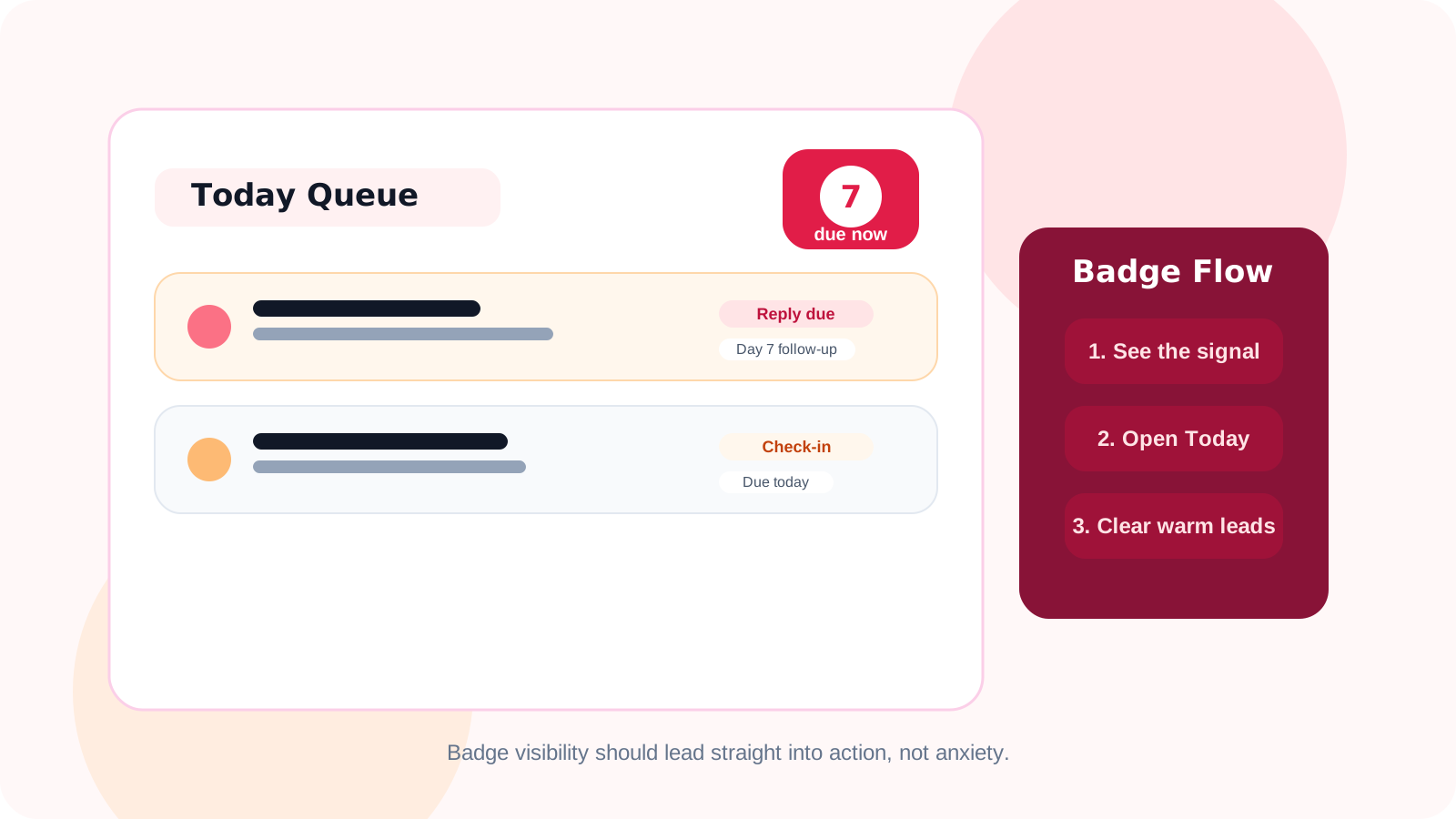
LinkedIn outreach badge notifications work best when they act as a triage signal, not just a red dot. A good badge tells you follow-up work is waiting, then helps you move straight into the right queue so warm LinkedIn conversations get handled before they cool off.
Most reps do not lose momentum because they forgot the contact existed forever. They lose momentum because the reminder arrived too late, arrived with no context, or was buried under ten other browser distractions.
That is why this feature deserves more attention than it usually gets. Badge notifications are tiny, but in a browser-native follow-up system they are often the first moment of truth. They answer a simple question fast: is there work waiting that matters right now?
In DMnesia, the badge is tied to the same workflow that powers the Today queue, reply awareness, and follow-up timing. That matters because visibility without action is just noise. The useful version is visibility that leads directly into the next task.
What LinkedIn outreach badge notifications should actually do
| Signal moment | What the badge should tell you | What should happen next |
|---|---|---|
| Opening the browser | There are follow-ups due today | You know immediately whether LinkedIn work needs attention |
| Between meetings | The queue is building again | You can clear a short burst of due work before context fades |
| After a reply lands | The number should stay trustworthy | Answered threads leave the follow-up pile instead of inflating urgency |
| End-of-day review | What still needs action is visible | You close the day with fewer hidden conversations |
A badge that does less than that is usually cosmetic. A badge that does more than that usually becomes distracting. The goal is a reliable prompt that points the rep toward the next best action.
Why daily triage is the right angle for this feature
1. Most LinkedIn follow-up is lost in the gaps between bigger tasks
Reps often know how to write the message. What breaks down is the in-between state: they finish a call, jump into Slack, open email, and the warm LinkedIn queue disappears from awareness. A badge cuts through that gap with just enough urgency to re-surface the work.
2. It keeps triage lightweight instead of turning into admin
A good daily workflow does not start with opening a spreadsheet or checking three dashboards. It starts with a fast signal that says whether follow-up deserves attention. From there, the rep moves into a focused list and clears the highest-context items first.
3. It reinforces discipline without forcing memory
That is the real product value. The system holds the burden of remembering. The rep just responds to the signal. This is the same operating logic behind guides like a tool that reminds me to follow up on LinkedIn DMs and LinkedIn follow-up reminder tools.
Useful test: if your badge count makes you open the tool but still leaves you wondering who matters first, the notification is only half-designed.
How reps should use badge notifications without becoming reactive
The wrong way to use badge notifications is to treat every alert like a fire drill. The right way is to use them as a routing layer for focused outreach blocks.
- Check the badge at natural transition points such as the start of the day, after meetings, or before logging off.
- Use the Today queue to prioritize by due date, stage, and message context instead of clearing names randomly.
- Trust reply-aware tracking so answered conversations stop inflating the count.
- Pair badge visibility with templates when the friction is writing speed rather than remembering.
- Keep the queue small and believable by separating research-stage names from active follow-up work.
That last point is where DMnesia’s workflow gets stronger than a simple reminder icon. Target leads can stay separate until they are ready for real attention. Once they move into the active queue, the badge becomes a much more honest signal. That is the same separation described in the LinkedIn target leads pipeline for qualified outreach guide.
What DMnesia adds beyond the badge itself
Badge notifications are only the entry point. What matters is the system behind them.
- Today queue so badge urgency turns into a real task list.
- Reply detection so active conversations do not sit in the due pile after someone answers.
- Default Day 3, Day 7, Day 14 timing with room to customize the sequence.
- Message templates so the rep can act quickly once a due contact is opened.
- Browser-native tracking that keeps follow-up work close to LinkedIn instead of in a disconnected system.
If you want the more general primer on this feature, read the original LinkedIn outreach badge notifications article. This page is the daily-triage version: less about what the badge is, more about how it should shape the rep’s operating rhythm.
If your team is working warmer, later-stage conversations, read LinkedIn outreach badge notifications for account executives. That version focuses on protecting deal momentum rather than general rep triage.
Where badge notifications fit in a modern LinkedIn workflow
For individual reps, the badge is the quickest way to re-enter the follow-up system. For managers, it is proof that the rep has a visible daily operating loop instead of relying on memory alone. For RevOps, it is one of the signs that a lightweight browser workflow can stay disciplined without becoming a full CRM project.
That makes badge notifications more important than they appear. They sit at the intersection of attention, timing, and action. When that intersection is designed well, the follow-up routine feels lighter and more reliable. When it is designed badly, the rep either ignores the badge or resents it.
People also ask about LinkedIn outreach badge notifications
What are LinkedIn outreach badge notifications?
They are due-count alerts that show how many LinkedIn follow-ups need attention right now, usually before you even open the full queue.
How should reps use badge notifications?
They should treat the badge as a triage signal, then move into a Today queue or due list that shows which conversations actually deserve attention first.
Do badge notifications replace a full follow-up system?
No. They surface urgency, but the rep still needs reminders, reply awareness, and message context to act well.
Conclusion: the badge should lead you into the right work, fast
LinkedIn outreach badge notifications matter because they shorten the distance between hidden work and visible action. The best version does not just tell the rep that something is due. It points them toward a queue they can trust and clear quickly.
That is the standard DMnesia is built around: use the badge as the signal, use the Today queue as the workspace, and keep warm LinkedIn conversations from slipping into silence.
Turn badge alerts into clean LinkedIn triage
Use DMnesia to see due follow-ups fast, open the right queue, and keep LinkedIn conversations moving while they are still warm.
See DMnesia featuresFrequently asked questions
What are LinkedIn outreach badge notifications?
They are due-count alerts that show when LinkedIn follow-up work is waiting, often before the rep opens the full queue.
How should reps use badge notifications?
They should use them as a quick triage prompt, then move into a queue that shows who is due and why that conversation matters now.
Do badge notifications replace a full follow-up system?
No. The badge is only the visibility layer. The real system still needs reminders, reply awareness, and message support.