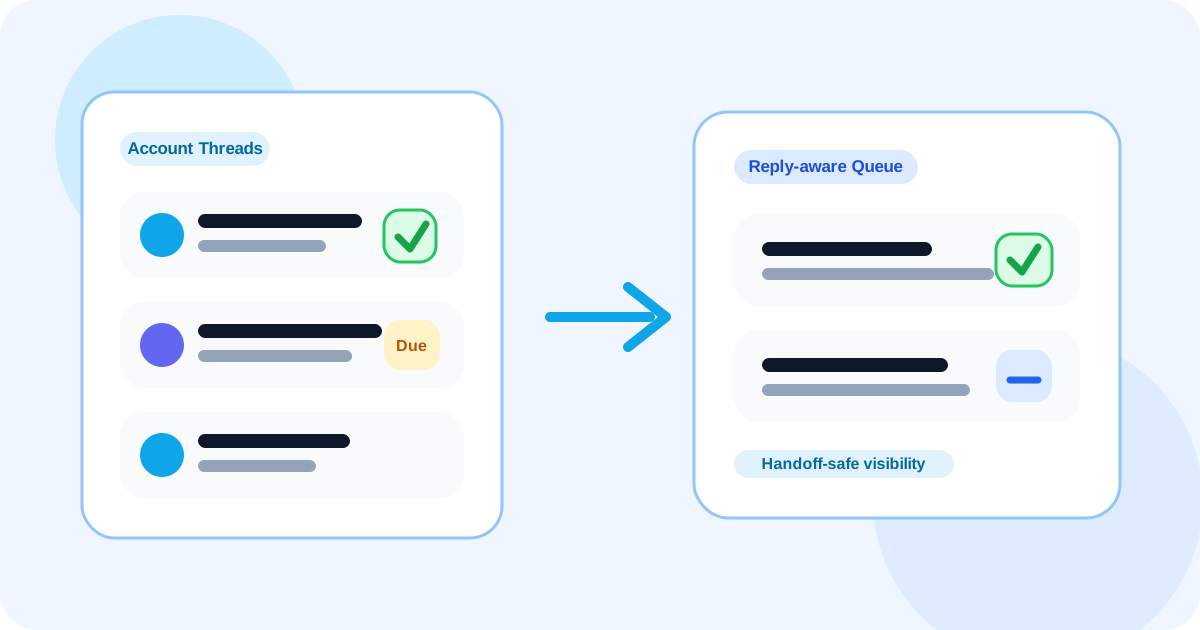
To detect when a LinkedIn lead has replied in client success or expansion work, use a reply-aware system that marks answered contacts instantly, removes them from due follow-ups, and keeps the rest of the account visible with clear ownership. That matters because expansion conversations often live across several stakeholders, not one simple thread.
Reply detection feels straightforward in cold outbound. It gets harder once the account is already active. Now you may be tracking a champion, a new budget holder, a quiet executive sponsor, and a customer success manager taking over from sales. One response changes the shape of the motion, but it does not solve the whole account.
That is why client success expansion needs a more disciplined reply workflow than a generic “replied or not” label. You need to know who answered, what should leave the reminder queue, and which contacts still need attention.
DMnesia is useful here because it keeps contact-level tracking, reply detection, follow-up queues, and team visibility close to the browser workflow. It helps the account owner stay current without forcing the entire relationship into a heavy system too early.
Why reply detection matters more in expansion than first-touch outreach
In expansion work, a reply is not just a positive signal. It changes timing, sequencing, and sometimes account strategy. One answer may mean the champion is active again, the renewal is warming up, or the buying group shifted.
| Expansion scenario | What breaks without reply awareness | What the better workflow does |
|---|---|---|
| Champion replies | The account still looks cold in the queue | Marks that stakeholder active and removes stale reminders |
| New owner inherits the account | They cannot tell which threads are warm | Shows live reply status during the handoff |
| Several stakeholders are silent | One reply creates false confidence about the full account | Keeps other contacts visible with separate timing |
How to detect replies in a client success expansion workflow
1. Track people, not just accounts
Expansion work can collapse if all contact activity is flattened into one account status. Reply detection should live at the contact level so the system can show exactly which person is moving and who is still waiting.
2. Remove replied contacts from the due queue immediately
If someone answered, they should no longer sit inside the same pending list as cold or silent stakeholders. That is the practical value of reply detection. It changes what the rep does next instead of simply adding a label.
3. Keep handoff context visible
Client success and expansion teams inherit threads. They need a quick view of which relationships are active, which ones stalled, and where the last real motion happened. That is why reply visibility matters even more after a role change or account transfer.
4. Separate relationship-building from reminder cleanup
Once a stakeholder answers, the task is no longer “follow up later.” It becomes “continue the conversation with the right context.” That distinction is central to relationship-first LinkedIn selling for client expansion.
Expansion rule: one reply should remove stale reminders for that contact, but it should never hide the rest of the account work that still needs attention.
Where DMnesia fits in multi-stakeholder account follow-up
DMnesia works well when expansion teams want a lighter operating layer before pushing every small interaction into a full CRM process. The extension can keep profile-based tracking, due queues, and reply visibility near the LinkedIn workflow, while the team layer supports broader oversight when the account touches several people.
- Track stakeholder conversations individually so answer state stays clear.
- Use the due queue to see who still needs a touch this week.
- Rely on reply-aware tracking to keep answered contacts out of stale reminders.
- Preserve handoff clarity when ownership moves between sales and customer teams.
If you want the generic answer first, start with how to detect when a LinkedIn lead has replied. If your issue is the broader team operating model, the closer companion pieces are how sales teams manage LinkedIn outreach across reps after handoffs and shared LinkedIn outreach dashboard for account pods.
For buying-group prospecting rather than customer expansion, the adjacent angle is how to detect when a LinkedIn lead has replied for buying committees. This page is different because the relationship already exists and the risk is losing expansion momentum through poor handoff visibility.
Frequently asked questions
How do you detect when a LinkedIn lead has replied in client success or expansion work?
Use a tracker that marks answered contacts clearly, removes them from pending reminders, and keeps other account stakeholders visible so the expansion plan stays coordinated.
Why is reply detection important after customer handoffs?
Handoffs create context gaps. Reply awareness helps the new owner see which relationships are active and which ones still need follow-up without rebuilding the account from memory.
What should happen when one account contact replies?
That contact should leave the due queue immediately, while the rest of the account remains visible with its own timing and ownership. One warm thread should not erase the rest of the work.
Keep account expansion follow-ups accurate
Use DMnesia to keep stakeholder replies, handoffs, and due follow-ups visible so expansion conversations do not get lost inside multi-contact account work.
Explore DMnesia for Teams