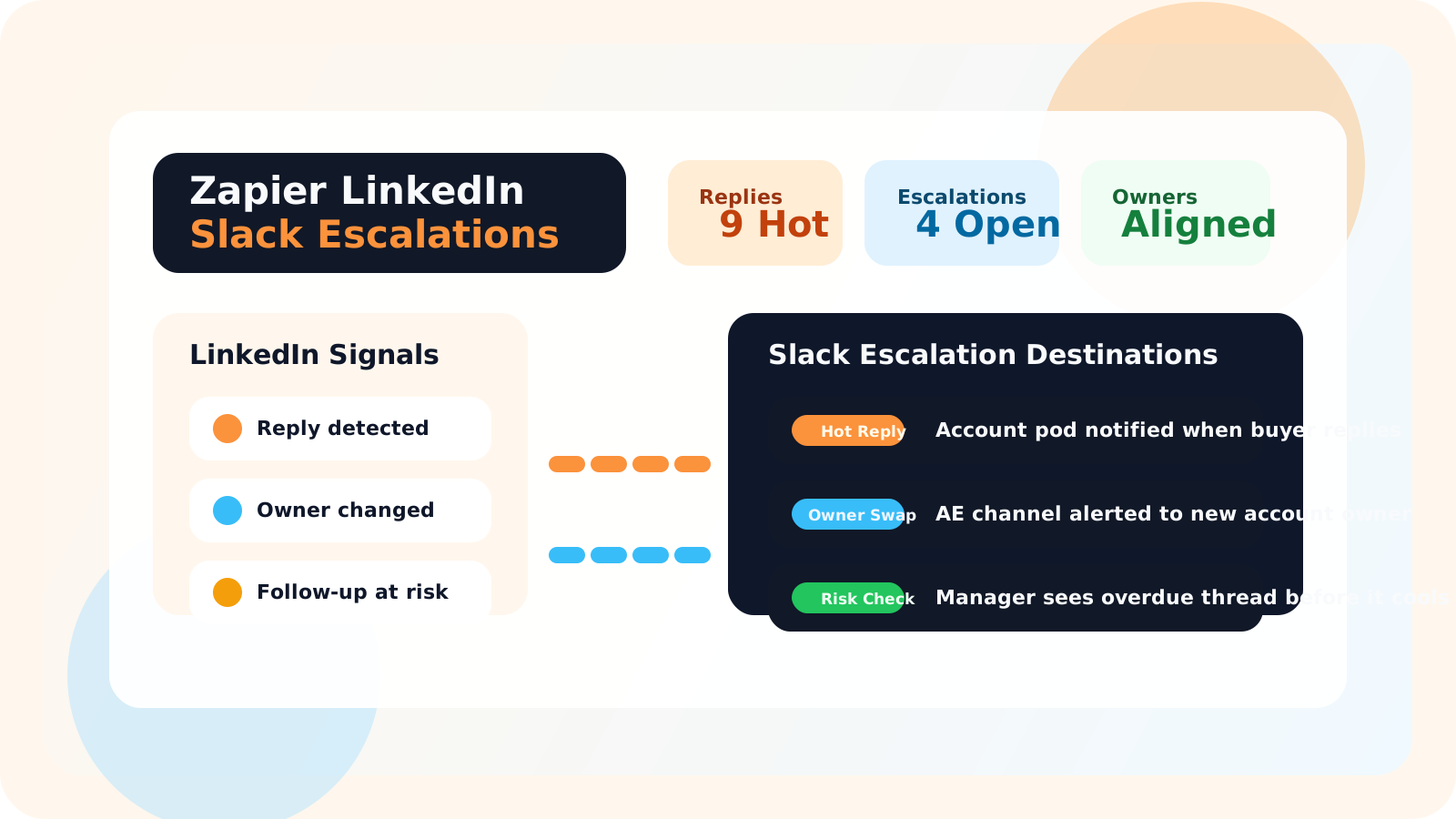
A Zapier LinkedIn outreach integration for Slack escalations should send only the events that change what the team needs to do next. Fresh replies on named accounts, overdue strategic follow-ups, and ownership changes are high-value signals. Routine activity is not.
That distinction is what separates a useful integration from noise. Most teams do not need every LinkedIn event sprayed into Slack. They need a small set of escalation moments that tell account pods, managers, or RevOps when to step in, coach, or coordinate.
DMnesia fits this model because the extension keeps the active workflow close to the rep inside LinkedIn, while the shared team layer makes those signals available for broader routing later. Reps stay in the browser. The organization gets better visibility into the moments that actually matter.
For the broader integration architecture, start with Zapier LinkedIn outreach integration. This page narrows the use case to Slack-first escalation design for live account motion.
Why Slack escalations are useful for LinkedIn outreach teams
Slack is where most teams coordinate quickly. That makes it a good destination for time-sensitive LinkedIn events, especially when several people share responsibility for the account.
- Fresh replies become visible immediately instead of surfacing days later in a review meeting.
- Ownership changes stop being silent because the new owner and manager see the same handoff signal.
- Follow-up risk gets caught earlier when overdue strategic threads escalate into a shared channel.
- Pods coordinate faster without making the rep stop to file a manual update.
| Slack escalation | When it should fire | Who should care |
|---|---|---|
| Hot reply alert | A target stakeholder replies on a named account | Owner, manager, and account pod |
| Handoff alert | Ownership changes on a live thread | New owner and supporting manager |
| Risk alert | A strategic follow-up goes overdue past the agreed team window | Manager, RevOps, or account lead |
What a Zapier LinkedIn outreach integration should send to Slack
Shared account signals, not every rep action
The best rule is simple: only escalate what matters to more than one person. If the event affects ownership, account timing, or team coordination, it is a good candidate. If it is just a rep’s private working note, keep it out of Slack.
Threshold-based risk, not constant chatter
Slack works when teams trust that an alert means something. Instead of sending “rep opened LinkedIn,” send “priority account has gone seven business days without a planned next step.” That is actionable.
Escalations that tie back to operating rhythm
A strong alert should point to a decision: reassign the owner, check a hot reply, or review the account in the next pod meeting. If an alert has no obvious next move, it will become background noise.
Teams that also want CRM and reporting alignment should pair this with how to integrate LinkedIn outreach data into HubSpot or Salesforce. If HubSpot is the core system-of-record, the more direct buyer page is LinkedIn API for HubSpot integration.
Escalation rule: if everything goes to Slack, nothing feels urgent. Route only the signals that change ownership, timing, or account risk.
How DMnesia supports Slack escalation workflows
DMnesia’s value here is the split between rep execution and shared team context. The extension handles tracking, reminders, target leads, and reply detection where the rep is already working. The team layer creates the shared data surface that operations teams can connect outward.
- Tracked contacts and target leads create useful objects for downstream workflows.
- Reply detection turns a valuable account event into a usable signal.
- Reminder timing and due state give risk escalations a clear threshold.
- Team plans with API access give RevOps a path to build shared alerts cleanly.
If the immediate need is team-level reporting instead of Slack alerts, read LinkedIn outreach dashboard for RevOps or team LinkedIn outreach analytics. Those pages explain the measurement layer that these escalations are meant to reinforce.
A practical Slack escalation workflow to copy
| Workflow | Trigger | Slack action |
|---|---|---|
| Priority reply | Strategic account receives a fresh LinkedIn reply | Post to the account pod channel with owner mention |
| Coverage risk | No planned next step on a named account past the team standard | Alert manager channel for review |
| Owner transfer | Account thread moves to a new rep | Notify the new owner and pod lead together |
People also ask about Slack escalations for LinkedIn outreach
What should a Zapier LinkedIn outreach integration send to Slack?
The best Slack alerts focus on meaningful events such as fresh replies on target accounts, overdue strategic follow-ups, and ownership changes that require the team to coordinate quickly.
Why use Slack escalations for LinkedIn outreach?
Slack escalations help teams respond to live account changes without making reps file manual updates. They keep managers and account pods aware of timing-sensitive events while the rep keeps working in LinkedIn.
How does DMnesia fit a Slack escalation workflow?
DMnesia keeps tracking, reminders, and replies inside LinkedIn, then gives team plans a shared data layer and API access so operations teams can route the right outreach signals into Slack or other systems.
Conclusion: escalate the moments that deserve team attention
A Zapier LinkedIn outreach integration for Slack escalations works when it respects attention. The goal is not to mirror every click. It is to surface the few moments that should change what the team does next.
If your account pods already live in Slack, the cleanest system is one where LinkedIn signals arrive there only when coordination is actually required.
Route important LinkedIn signals to the right team
Use DMnesia to keep rep execution inside LinkedIn and give RevOps a cleaner path to build Slack escalations around shared outreach data.
Set Up Team AccessFrequently asked questions
What should a Zapier LinkedIn outreach integration send to Slack?
The best Slack alerts focus on meaningful events such as fresh replies on target accounts, overdue strategic follow-ups, and ownership changes that require the team to coordinate quickly.
Why use Slack escalations for LinkedIn outreach?
Slack escalations help teams respond to live account changes without making reps file manual updates. They keep managers and account pods aware of timing-sensitive events while the rep keeps working in LinkedIn.
How does DMnesia fit a Slack escalation workflow?
DMnesia keeps tracking, reminders, and replies inside LinkedIn, then gives team plans a shared data layer and API access so operations teams can route the right outreach signals into Slack or other systems.