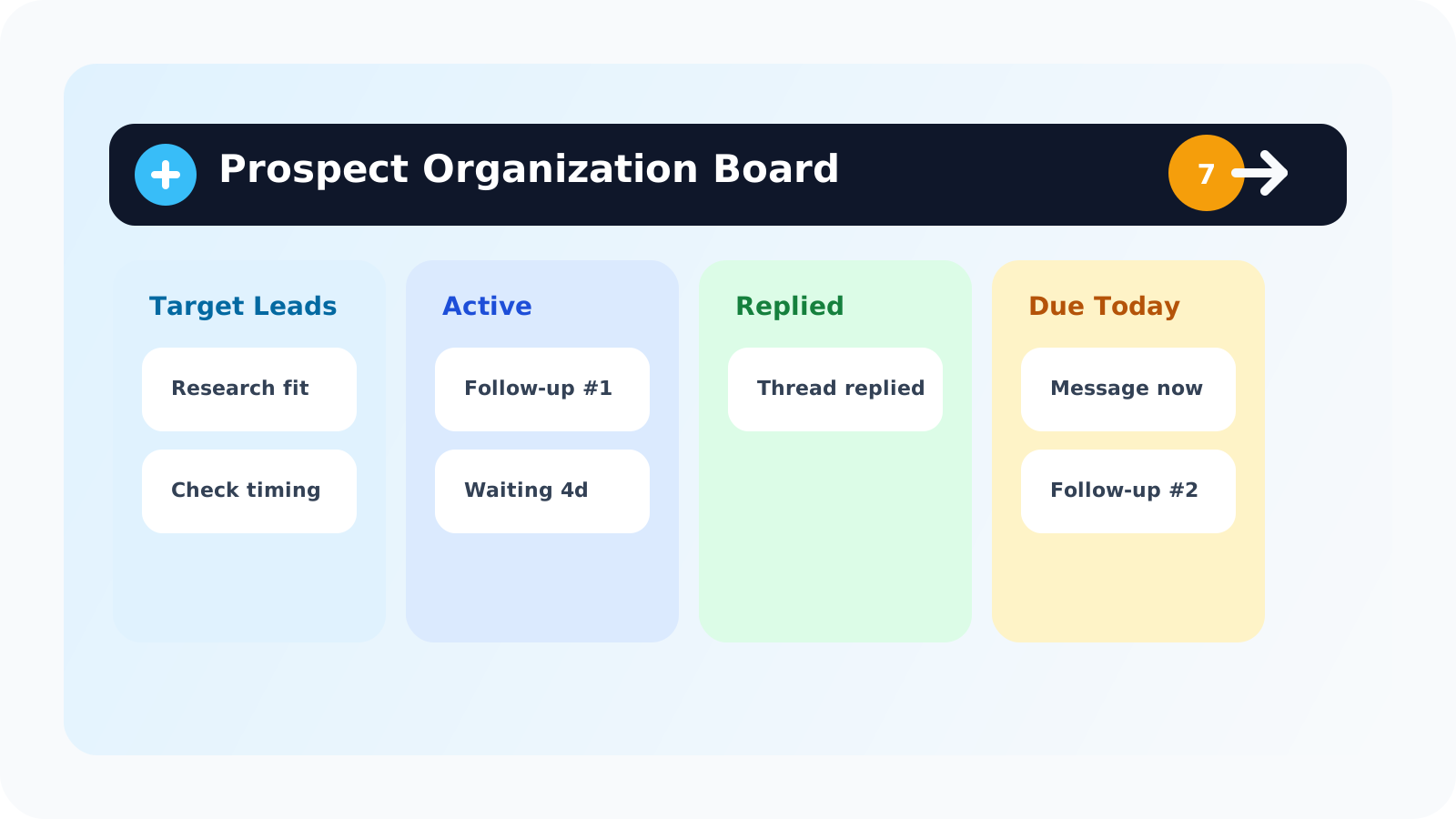
A LinkedIn prospect tagging tool should help you answer three questions fast: who is still a target, who is already active, and who needs action next. The best setup is usually less about endless custom tags and more about clean grouping, visible status, and a queue reps can trust every day.
That distinction matters because many teams ask for tagging when the real problem is workflow design. They do not actually need thirty labels. They need a reliable way to separate prospects that are still being researched from contacts that are already in motion.
DMnesia takes that lighter approach. Instead of forcing reps into a bloated CRM board, it keeps Target Leads separate from tracked contacts, groups active records by status, shows due work in a Today queue, and keeps reply-aware follow-up visible inside the browser.
What a LinkedIn prospect tagging tool should actually solve
| Organization problem | What reps usually ask for | What actually helps |
|---|---|---|
| Early research pileup | “I need a tag for prospects I may work later.” | A separate target-leads lane so pre-outreach names do not clutter active follow-ups. |
| Live follow-up confusion | “I need tags for stage and urgency.” | Status grouping plus a due queue so the next action is obvious. |
| Answered conversations | “I need to mark people differently once they reply.” | Reply-aware tracking that removes answered threads from pending follow-ups automatically. |
| Old threads | “I need a tag for paused or dead leads.” | Snoozed and archived states so the live queue stays clean. |
A lot of “tagging” needs are really status needs. Once the workflow is built around stage and next step, the system becomes easier to maintain and much easier to coach.
Why too many tags usually hurt LinkedIn outreach
1. Reps stop trusting the taxonomy
If the difference between tags is subtle, most reps stop applying them consistently. That creates false precision: the board looks organized, but nobody is sure what the labels mean anymore.
2. Follow-up still gets missed
Tags alone do not create action. A lead labeled “warm” is still useless if the rep cannot see that a follow-up is due today. That is why a visible queue matters more than a decorative category system.
3. The browser workflow gets disconnected
LinkedIn outreach happens in the browser. If lead organization lives somewhere far away, the rep falls back to memory, tabs, and scattered notes. A practical tool keeps the grouping logic close to where the decisions happen.
Good rule: if your “tagging” system takes longer to maintain than to use, it is not helping the team. It is just creating new admin work around old follow-up problems.
What a better LinkedIn prospect tagging workflow looks like
For most teams, the best answer is a lightweight stack of lanes and statuses instead of unlimited labels.
- Keep target leads separate until the prospect is truly worth working.
- Convert qualified names into tracked contacts only when outreach is ready to begin.
- Group active contacts by status such as due, waiting, replied, snoozed, or archived.
- Use a Today queue so urgency lives in one place instead of inside a filter menu.
- Stop pending follow-ups on reply so the board reflects live reality instead of stale reminders.
DMnesia already supports that model. The LinkedIn target leads pipeline covers pre-outreach organization, while the LinkedIn message tracker extension layer handles active conversations, status grouping, and next-step visibility.
If your current process starts with spreadsheets or a generic CRM view, this is the easiest upgrade path: first fix the stage model, then fix the daily execution layer. The article on how to build a LinkedIn prospect pipeline before reaching out is the right companion if you want the pipeline-design angle first.
If your bigger problem is pre-outreach sorting rather than active follow-up grouping, the more specific guide to a LinkedIn prospect tagging tool for pre-outreach qualification goes deeper on that earlier stage.
For multi-stakeholder deal work, the new LinkedIn prospect tagging tool for buying committee mapping page shows how to keep champions, evaluators, and decision-makers legible without heavy CRM admin.
How DMnesia fits the “tagging tool” job without becoming heavy
DMnesia is useful here because it behaves more like a browser-native memory layer than a classic CRM taxonomy. The product keeps the categorization simple and action-oriented:
- Target Leads for prospects you are still qualifying.
- Tracked contacts for people already in the follow-up workflow.
- Status-based grouping so answered, waiting, due, snoozed, and archived records stay distinct.
- Reply detection so the status can change when the conversation changes.
- Badge notifications and Today queue so the organization layer produces action, not just labels.
That is the key difference. A tagging tool should not just tell you what a contact is. It should tell you what to do next. If you want the broader manager view after the rep workflow is cleaned up, the guide to a shared LinkedIn outreach dashboard explains how team visibility sits on top of the same logic.
People also ask about LinkedIn prospect tagging tools
What is a LinkedIn prospect tagging tool?
It is a system for grouping LinkedIn prospects by stage, urgency, or next step so reps can see who is still a target, who is already active, and who needs follow-up.
Do sales reps need custom tags for LinkedIn outreach?
Not always. Many teams get better results from a simpler workflow that groups contacts by status and next action instead of maintaining a large manual taxonomy.
How does DMnesia help organize LinkedIn prospects?
DMnesia keeps target leads separate from tracked contacts, groups active work by status, shows due follow-ups in a Today queue, and helps reps move prospects through a lightweight browser-native workflow.
Conclusion: good tagging is really good workflow design
A LinkedIn prospect tagging tool is only useful if it reduces decision friction. The more labels a rep has to interpret, the less likely the system is to survive a busy day. The better model is simple grouping, clear stage boundaries, and visible next actions.
DMnesia fits that model by giving reps a target-lead lane, an active follow-up workflow, and a status-driven queue that makes outreach easier to run without leaning on memory.
Organize LinkedIn leads without a heavy CRM
Use DMnesia to separate target leads from active follow-ups, group work by status, and keep the next action visible in your browser.
Explore DMnesia featuresFrequently asked questions
What is a LinkedIn prospect tagging tool?
It is a way to organize LinkedIn prospects by stage, urgency, or next step so the rep can quickly understand what kind of work each contact represents.
Do sales reps need custom tags for LinkedIn outreach?
Sometimes, but many teams are better served by a simple workflow that separates targets from active contacts and groups live work by status instead of by a long tag list.
How does DMnesia help organize LinkedIn prospects?
It uses target leads, tracked contacts, status grouping, reply-aware updates, and a due queue so prospect organization naturally feeds into follow-up execution.