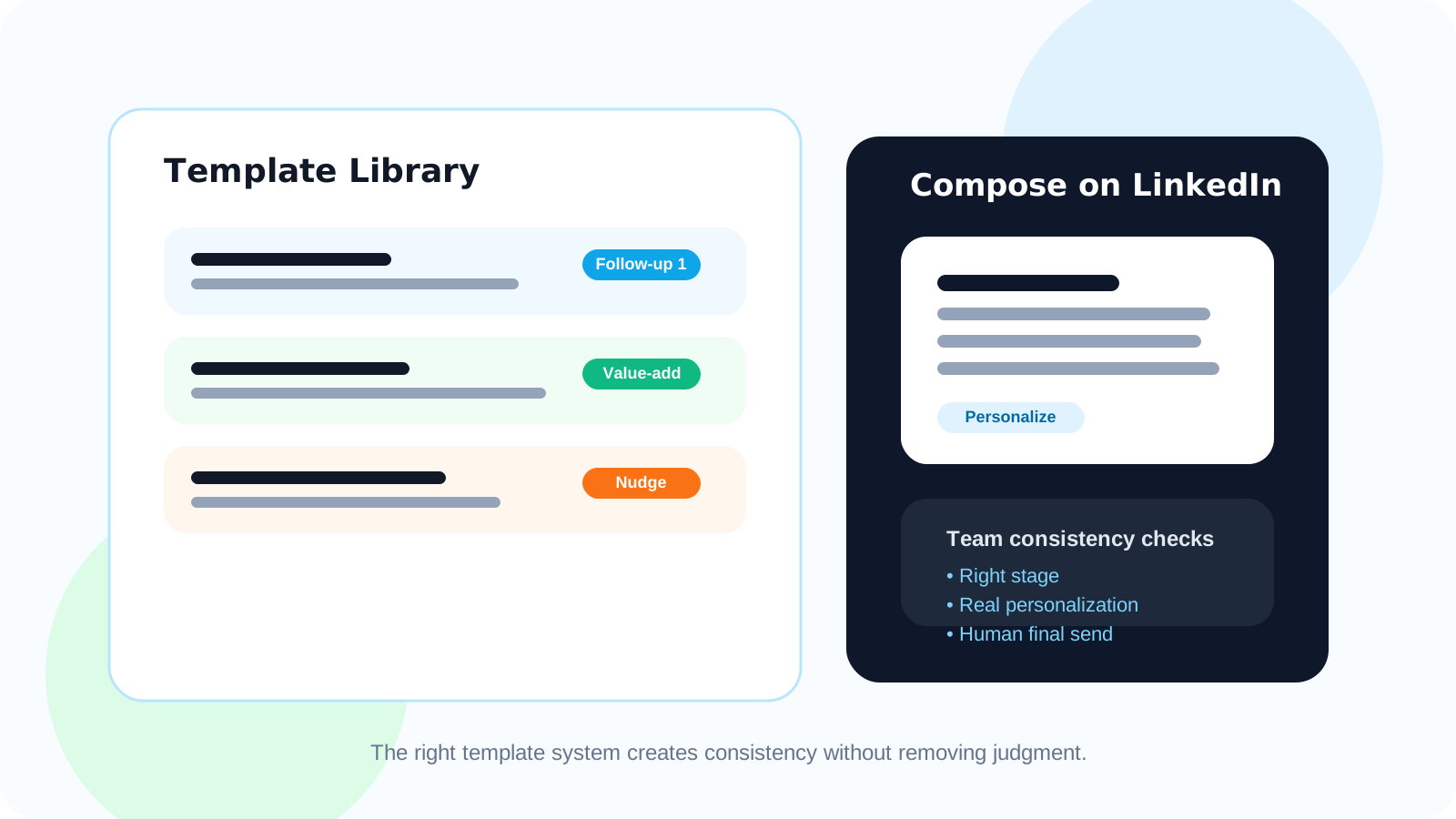
LinkedIn message template injection helps teams move faster by giving reps a strong draft before they start typing. The best systems use templates to standardize message quality, preserve personalization, and keep follow-ups consistent without turning every LinkedIn DM into a copied script.
That distinction matters. Most teams do not want automation that writes their voice for them. They want a cleaner starting point, especially for repeat follow-ups where the structure is familiar but the context still changes from lead to lead.
The team-consistency angle is where this feature becomes more valuable than a simple personal shortcut. When managers can give reps proven message patterns, newer sellers ramp faster and experienced sellers spend less time rebuilding the same draft from zero.
In DMnesia, templates live inside the browser workflow, alongside the due queue and follow-up timing. That means the rep can see who is due, open the conversation, inject a working message draft, and personalize it while the LinkedIn context is still visible.
What LinkedIn message template injection should improve for teams
| Team goal | What template injection should do | Why it matters |
|---|---|---|
| Faster ramp-up | Give reps approved starting drafts | New sellers learn structure faster without guessing tone |
| Consistent follow-up | Keep messages aligned by stage | The team sounds organized instead of improvising every touch |
| Personalization | Preserve editable fields and context | Templates support relevance instead of flattening it |
| Execution speed | Reduce blank-page friction inside LinkedIn | Reps spend more time sending good follow-ups and less time resetting mentally |
Why this feature matters more for teams than for solo reps
1. Message quality becomes easier to coach
Without shared starting points, every rep invents a different structure. That makes coaching harder because managers are reviewing a dozen writing styles before they can even judge the strategic quality of the follow-up.
Template injection narrows that spread. It does not remove judgment, but it gives teams a repeatable base. That makes feedback more practical. Instead of saying “write better follow-ups,” managers can point to specific message stages and refine the structure itself.
2. Reps stop wasting energy on setup work
Most follow-up messages are not hard because the rep lacks ideas. They are hard because the rep has to restart from an empty box over and over. A template reduces that reset cost. The rep begins with a purpose, a frame, and enough momentum to personalize quickly.
3. Consistency improves without forcing automation
That is a key difference for DMnesia. The product is positioned as a human-led workflow tool, not an auto-sender. Templates support writing speed, but the rep still chooses the final message, timing, and edit. That lines up with the same manual, browser-native stance described in LinkedIn outreach without sending automated messages.
Useful benchmark: if your team library saves words but still forces every rep to rewrite the opening, the template is too generic to be operational.
How to use LinkedIn message template injection for team consistency
- Organize templates by conversation stage such as first follow-up, value-add follow-up, and check-in after silence.
- Keep templates short enough to edit fast so personalization still happens before the message is sent.
- Use placeholders for personal context like name, company, or role instead of writing one broad generic version.
- Review top-performing drafts quarterly so the library reflects real team learning instead of old assumptions.
- Pair templates with due reminders because the right message structure still fails when sent at the wrong time.
That last point is often missed. Templates are drafting tools, not outreach systems on their own. Teams still need reliable reminder logic. The most useful setup is one where a due contact appears in the queue, the rep opens the thread, chooses the right draft, edits it, and sends. That flow is closely related to the LinkedIn follow-up sequence template for account executives playbook.
What DMnesia adds to the team workflow
DMnesia helps because templates do not sit in isolation. They are connected to the rest of the follow-up routine.
- Template storage inside the extension so the message library is close to the actual LinkedIn compose flow.
- Personal placeholders that keep reusable drafts closer to the individual prospect.
- CSV import support for message libraries when teams want to seed a repeatable set of templates quickly.
- Today queue visibility so template use is tied to real due work, not random browsing.
- Reply-aware follow-up so the same canned message does not keep showing up after a prospect has already answered.
If you want the broader category intro, the original LinkedIn message template injection article covers the individual workflow side. This page focuses on the team question: how do you help multiple reps move faster without turning them into robotic messengers?
For the solo-operator version of the same feature, read LinkedIn message template injection for founder-led sales. It shows how founders keep reusable drafts personal when they are doing the outreach themselves.
Common mistakes teams make with LinkedIn templates
Using one draft for every stage
A follow-up after profile engagement should not sound the same as a nudge after a previous message went quiet. Teams need stage-specific structures, not one all-purpose paragraph.
Over-optimizing for volume instead of relevance
If the library is designed only to increase throughput, message quality drops fast. The better question is whether the template helps the rep get to a relevant message more reliably.
Separating templates from the rest of the workflow
A template bank in a separate doc creates friction. The rep has to switch tabs, copy, paste, reorient, and remember timing. A browser-native tool keeps the draft close to the conversation and the follow-up schedule.
People also ask about LinkedIn message template injection
What is LinkedIn message template injection?
It is a workflow that lets reps insert a reusable LinkedIn message draft quickly, then personalize it before sending so they do not start from a blank compose box every time.
Why do teams use message template injection?
Teams use it to reduce drafting friction, standardize message quality, and help newer reps work from proven structures without memorizing every follow-up from scratch.
How do you keep LinkedIn templates from sounding robotic?
Use templates as a starting structure, keep them concise, and make sure every rep adds real prospect context before sending.
Conclusion: the best template system creates consistency without flattening judgment
LinkedIn message template injection is most valuable when it gives teams a repeatable starting point while leaving room for real selling judgment. That balance is what keeps message quality consistent without making outreach feel mass-produced.
DMnesia fits that model well: the draft lives inside the same browser routine as reminders, reply visibility, and active LinkedIn work. The rep moves faster, but the message still belongs to a human.
Standardize follow-ups without sounding scripted
Use DMnesia to keep a reusable LinkedIn template library close to the queue, speed up drafting, and maintain better message quality across the team.
Compare DMnesia plansFrequently asked questions
What is LinkedIn message template injection?
It is a quick way to insert a reusable LinkedIn draft, then personalize it before sending instead of writing every message from zero.
Why do teams use message template injection?
Because it reduces drafting friction, improves consistency across reps, and gives newer sellers a more reliable starting point.
How do you keep LinkedIn templates from sounding robotic?
Keep templates short, map them to the right follow-up stage, and require each rep to add genuine prospect context before sending.