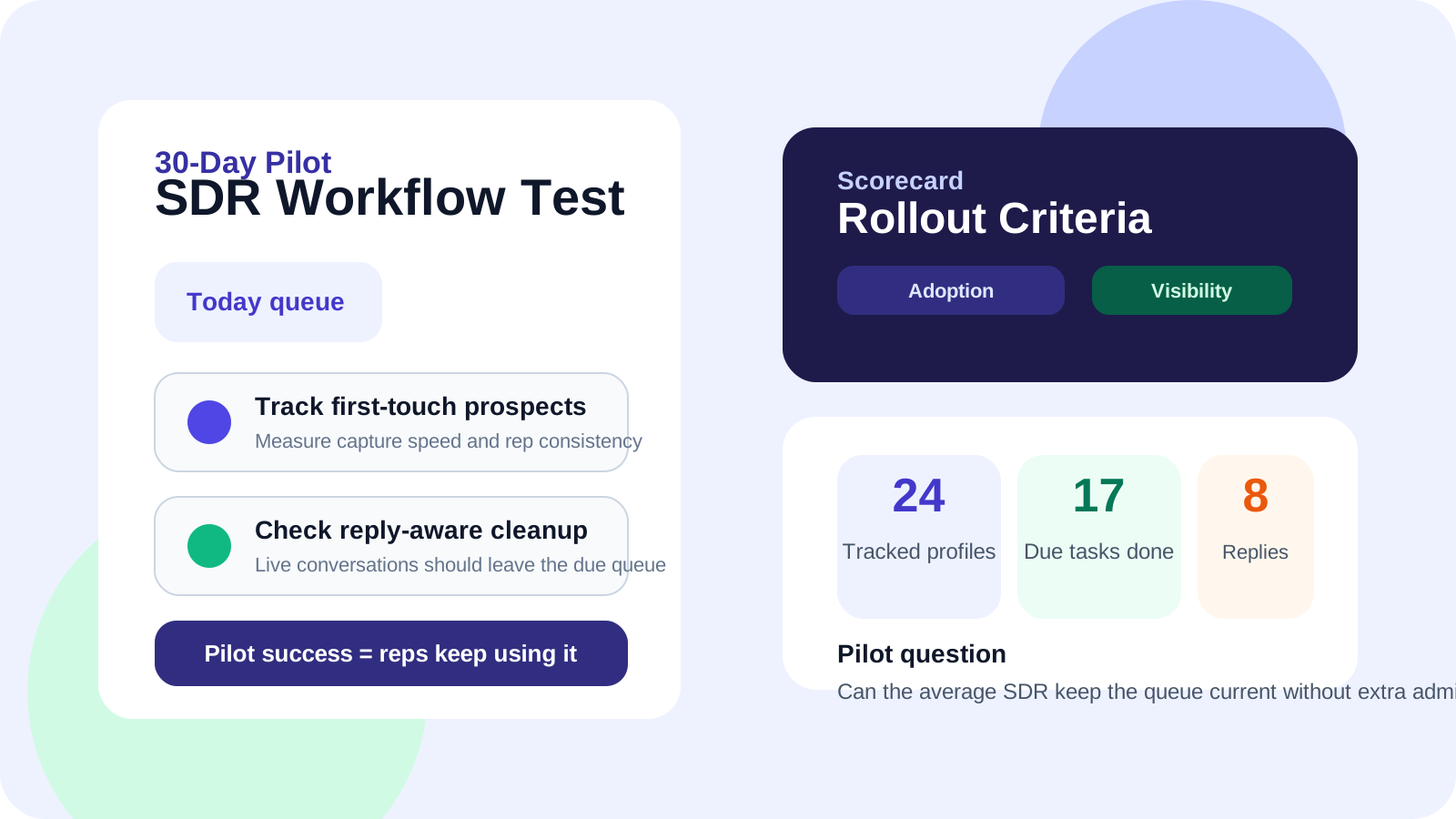
A LinkedIn CRM for SDRs pilot should prove one thing fast: reps will actually use it. A strong 30-day pilot measures profile capture speed, due-follow-up completion, reply handling, and manager visibility so buyers can decide whether the workflow deserves a team rollout.
That is the commercial gap in a lot of SDR software evaluations. Teams compare screenshots, feature lists, and pricing pages, but they do not structure the pilot around daily rep behavior. Then rollout starts, rep adoption slips, and leadership concludes the category itself does not work.
The better approach is to treat the pilot like an operating test. If SDRs can keep live LinkedIn work current without extra admin, the manager layer becomes believable. If they cannot, no dashboard will save the buying decision later. That is why a browser-native product like DMnesia often performs well in pilot settings: the workflow stays close to the place where SDRs already prospect, follow up, and watch for replies.
Teams that are still one step earlier in the buying journey should start with the broader LinkedIn CRM for SDRs guide and the evaluation checklist. This page is for the moment when a shortlist already exists and somebody needs a practical test plan.
What a LinkedIn CRM for SDRs pilot should answer
| Pilot question | What to measure | Why it matters |
|---|---|---|
| Do reps save profiles consistently? | How often reps track a contact the first time it matters | A CRM that depends on delayed entry will decay fast |
| Do follow-ups stay visible? | Due work completed from the daily queue | Missed follow-ups are the real cost center |
| Does reply handling improve? | Whether answered contacts stop looking like cold prospects | Rep timing quality matters more than raw activity |
| Can managers trust the workflow? | How much chasing is still needed for status clarity | Good reporting starts with current rep behavior |
How to structure a 30-day pilot
Week 1: Rep setup and first-adoption test
Week one is not about volume. It is about friction. Ask a small SDR pod to use the tool for new LinkedIn work only. The first test is whether they can save profiles, add the next action, and return to due work without needing another operating document. DMnesia is designed for that moment with one-click profile saving, a focused Today queue, and visible badge reminders.
Week 2: Follow-up reliability test
By the second week, buyers should stop asking whether the interface looks clean and start asking whether follow-up discipline is easier to maintain. Are SDRs revisiting warm threads on time? Do they use templates when speed matters? Are quiet prospects and replied prospects clearly separated? This is also where reply detection becomes meaningful, because stale reminders create noise if the system cannot recognize live conversations.
Week 3: Pipeline staging and conversion test
Most SDR teams do not just need a contact list. They need a way to stage interesting profiles before committing them to a full follow-up loop. During the pilot, watch how reps use Target Leads versus active tracked contacts. A good workflow keeps pre-outreach research separate from active follow-up instead of dumping everything into one crowded lane.
Week 4: Manager visibility and rollout decision
The last week is the buying week. Managers should ask whether the tool gave them enough visibility into load, consistency, and rep behavior without asking reps to duplicate work. If that answer is yes, the team can move into rollout planning, pricing review, and integration questions like the ones covered in this API-access checklist.
Pilot rule: do not grade the tool on the best rep in the group. Grade it on whether the average SDR keeps the workflow alive after the first burst of enthusiasm disappears.
Pilot metrics that actually matter
- Profiles tracked per rep to see whether first-action capture feels easy enough.
- Follow-ups completed from the Today queue to measure operational discipline.
- Reply-aware cleanup to see whether live conversations stay distinct from pending reminders.
- Target lead conversion to measure whether research and active pipeline stay separate.
- Manager review friction to understand whether leadership still needs side updates.
Those metrics are practical because they map directly to the real reason teams buy this category: they want fewer warm opportunities slipping because nobody could remember the next move. The ROI playbook covers the financial framing behind those operating gains, but the pilot is where you decide whether the assumptions are real.
Why DMnesia fits a LinkedIn CRM for SDRs pilot
DMnesia gives teams a clean way to test both the rep layer and the manager-ready layer in one controlled window. SDRs get one-click capture, custom cadence settings, Today reminders, message templates, and reply detection. Buyers can then evaluate whether the motion deserves expansion into cloud sync, team reporting, and organization-level workflow.
The commercial advantage is that the pilot does not ask reps to abandon LinkedIn as the working surface. Instead, it asks whether a better memory system inside the browser improves follow-up consistency enough to justify rollout. That is a smaller, smarter, and more honest test than trying to replace the entire sales stack in one motion.
People also ask about LinkedIn CRM for SDRs pilots
How long should a LinkedIn CRM for SDRs pilot run?
A 30-day pilot is usually enough to measure rep adoption, follow-up completion, reply handling, and manager fit without stretching the decision into a quarter-long experiment.
What should teams measure in a LinkedIn CRM for SDRs pilot?
Track profile capture speed, due-follow-up completion, reply awareness, target lead conversion, and whether managers still need to chase reps for status clarity.
Does DMnesia fit a LinkedIn CRM for SDRs pilot?
Yes. DMnesia gives SDRs one-click tracking, a Today queue, reply visibility, target lead staging, and a path into team reporting so buyers can test both rep adoption and rollout readiness.
Conclusion: the pilot should test behavior, not just software
The best LinkedIn CRM for SDRs will not win because its demo is polished. It will win because SDRs keep using it when nobody reminds them to. That is the whole point of a pilot.
DMnesia is built for that kind of test. The workflow stays inside LinkedIn, follow-ups become visible, replied contacts stop cluttering the queue, and managers get a much clearer answer to the rollout question.
Compare DMnesia in a live SDR pilot
Use DMnesia to test profile capture, due-follow-up discipline, reply awareness, and manager visibility before committing to a wider rollout.
Install DMnesia for ChromeFrequently asked questions
How long should a LinkedIn CRM for SDRs pilot run?
Thirty days is usually enough to see whether reps adopt the workflow, complete follow-ups, and keep manager reporting trustworthy.
What should teams measure in a LinkedIn CRM for SDRs pilot?
Focus on profile capture, Today-queue completion, reply awareness, target lead conversion, and manager review friction rather than vanity metrics alone.
Does DMnesia fit a LinkedIn CRM for SDRs pilot?
Yes. It gives teams a browser-first way to test SDR behavior, follow-up control, and manager readiness without forcing double entry into a second system.