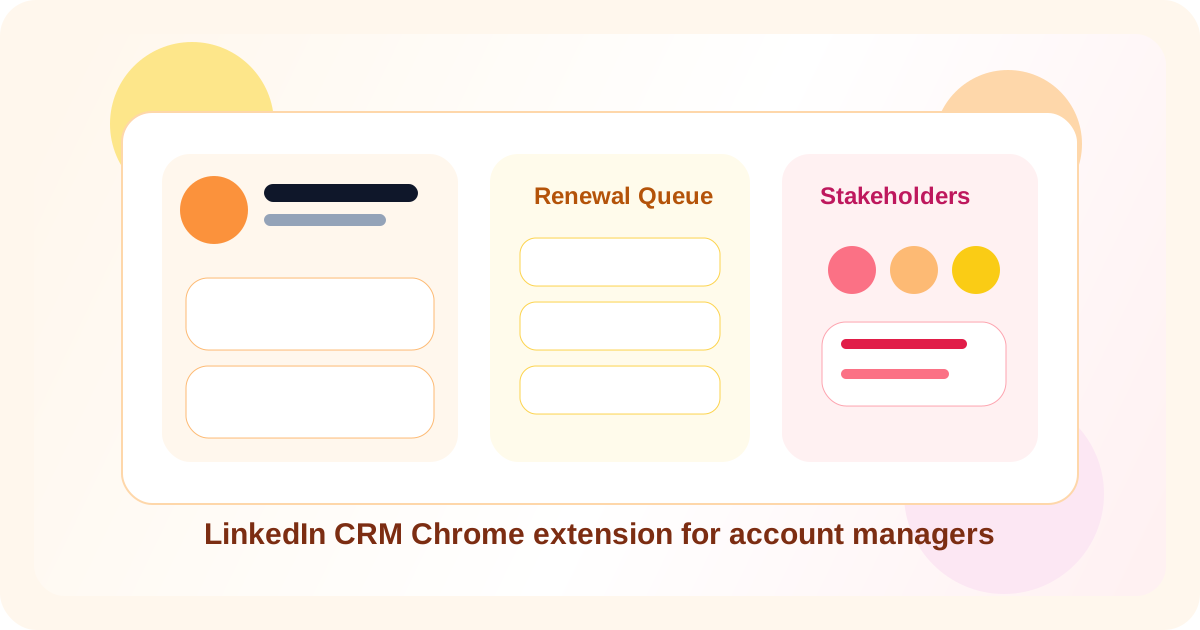
A LinkedIn CRM Chrome extension for account managers keeps stakeholder follow-ups, renewal timing, and warm expansion work visible without forcing every check-in into a separate CRM task screen. The best tools feel like a browser-native memory layer: fast on profile view, clear on what is due, and careful about not treating every relationship like a cold outbound sequence.
That distinction matters. Account managers do not usually fail because they lack account plans. They fail because the small relationship moments get lost. A champion moves roles. A quiet stakeholder replies after weeks of silence. A renewal conversation deserves a soft nudge before the formal review. If the system around those moments is slow, the team defaults back to memory.
That is where a LinkedIn CRM Chrome extension becomes useful. It gives the account team a working layer inside LinkedIn itself: profile capture, reminder timing, reply visibility, and reusable messaging. DMnesia takes that browser-first path with one-click tracking, a Today queue, reply-aware status cleanup, and Target Leads for future stakeholders who are not ready for active follow-up yet.
If your evaluation is centered on renewals and stakeholder continuity rather than general account operations, read the renewal coverage checklist for LinkedIn extensions for account managers next.
What account managers should expect from a LinkedIn CRM Chrome extension
| Capability | Why account teams care | What good looks like |
|---|---|---|
| Fast profile capture | Stakeholder maps change quickly during renewals and expansion | Save a contact while reading the profile, not later in admin time |
| Due follow-up visibility | Warm accounts depend on consistent timing | A queue that shows who needs attention today and why |
| Reply awareness | Account teams need different next steps once a stakeholder responds | Stale reminders clear automatically when the conversation moves |
| Future stakeholder staging | Not every profile should enter active account outreach immediately | A separate place to hold future champions, evaluators, or mobilizers |
Why account managers need a different browser workflow from SDRs
Relationship continuity matters more than volume
An SDR may optimize for new conversations created. An account manager optimizes for continuity across known people. That means the browser tool should help protect trust, context, and timing rather than simply encourage more activity.
Expansion threads are rarely linear
Some messages support a renewal. Others are about cross-sell discovery, stakeholder mapping, or quiet advocacy. Those motions overlap. A rigid sequence tool is usually the wrong fit. A browser-first CRM layer gives account teams flexibility while still preserving discipline.
Heavy CRM logging breaks the moment
Most account managers already have a system of record. The problem is execution friction. If the rep must leave LinkedIn, open several fields, and reconstruct context just to note the next step, the workflow slows down enough to be ignored during real account work.
Account rule: the best extension for account managers is the one that makes the next stakeholder action obvious in seconds. If it takes too long to update, the rep will stop trusting it on live accounts.
How DMnesia fits account management on LinkedIn
DMnesia is useful when the goal is to keep warm LinkedIn relationship work organized without forcing the team into another heavyweight adoption project.
- Track stakeholder profiles in one click while reviewing an account network.
- Use the Today queue to prioritize renewals, check-ins, and expansion follow-ups.
- Let reply-aware cleanup reduce stale tasks once the account contact engages.
- Use templates for repeatable touchpoints like post-review follow-ups or intro asks.
- Stage future-fit stakeholders in Target Leads until there is a reason to activate them.
That structure gives account managers a practical operating layer between memory and a traditional CRM. It is especially useful for teams that already know the account plan but need help executing it consistently on LinkedIn.
If you want the broader account-owner angle first, start with LinkedIn extension for account managers. If the real pain is CRM avoidance, the companion read is tracking LinkedIn conversations without a CRM for account managers. Teams thinking about shared reply visibility should also read LinkedIn message tracker extension for client-facing teams.
LinkedIn CRM Chrome extension vs the usual alternatives
| Approach | Strength | Limitation |
|---|---|---|
| CRM task list only | Centralized reporting and shared records | Often too far from the live LinkedIn thread |
| Notes plus calendar reminders | Simple and cheap | Weak reply visibility and poor stakeholder coverage over time |
| Browser-native CRM extension | Keeps context and timing close to the profile | Needs clear habits around when a contact becomes active |
What to evaluate before buying
- Will account managers actually use it during live account work?
- Does it distinguish future stakeholders from active follow-up?
- Can it reflect replies quickly enough to avoid awkward nudges?
- Does it support a team path later without making day-one setup heavy?
- Can it support renewals, expansion, and nurture with the same core workflow?
People also ask about LinkedIn CRM Chrome extensions for account managers
Why would an account manager use a LinkedIn CRM Chrome extension?
Account managers use LinkedIn to protect renewals, reopen champions, and map stakeholder coverage. A LinkedIn CRM Chrome extension keeps those follow-ups visible in the browser without forcing every touch into a slow admin loop.
What should a CRM Chrome extension do for account managers?
It should capture profiles quickly, keep a clear due queue, show reply awareness, support repeatable templates, and separate future stakeholders from active relationship work.
How does DMnesia fit account management on LinkedIn?
DMnesia helps account managers save profiles in one click, manage follow-up timing from a Today queue, detect replies, and keep expansion or renewal conversations organized without adding heavy CRM overhead.
Conclusion: account management needs browser-native CRM discipline
A strong LinkedIn CRM Chrome extension for account managers does not replace the system of record. It solves the operating gap between seeing a profile and knowing the next move. That is the layer where continuity, trust, and timing are won or lost.
Keep stakeholder follow-ups visible inside LinkedIn
Compare DMnesia as a LinkedIn CRM Chrome extension for account managers who need renewal and expansion timing to stay clear.
Add DMnesia to ChromeFrequently asked questions
Why would an account manager use a LinkedIn CRM Chrome extension?
Because LinkedIn often becomes the place where quiet renewal and expansion conversations actually move, and those moments are easy to lose in a slower CRM-only workflow.
What should it do for account managers?
It should keep profile capture, reminder timing, reply awareness, and reusable messaging close to the browser so the team can act without extra admin drag.
How does DMnesia help?
DMnesia gives account teams one-click profile tracking, a Today queue, templates, target staging, and reply-aware cleanup for warmer LinkedIn workflows.