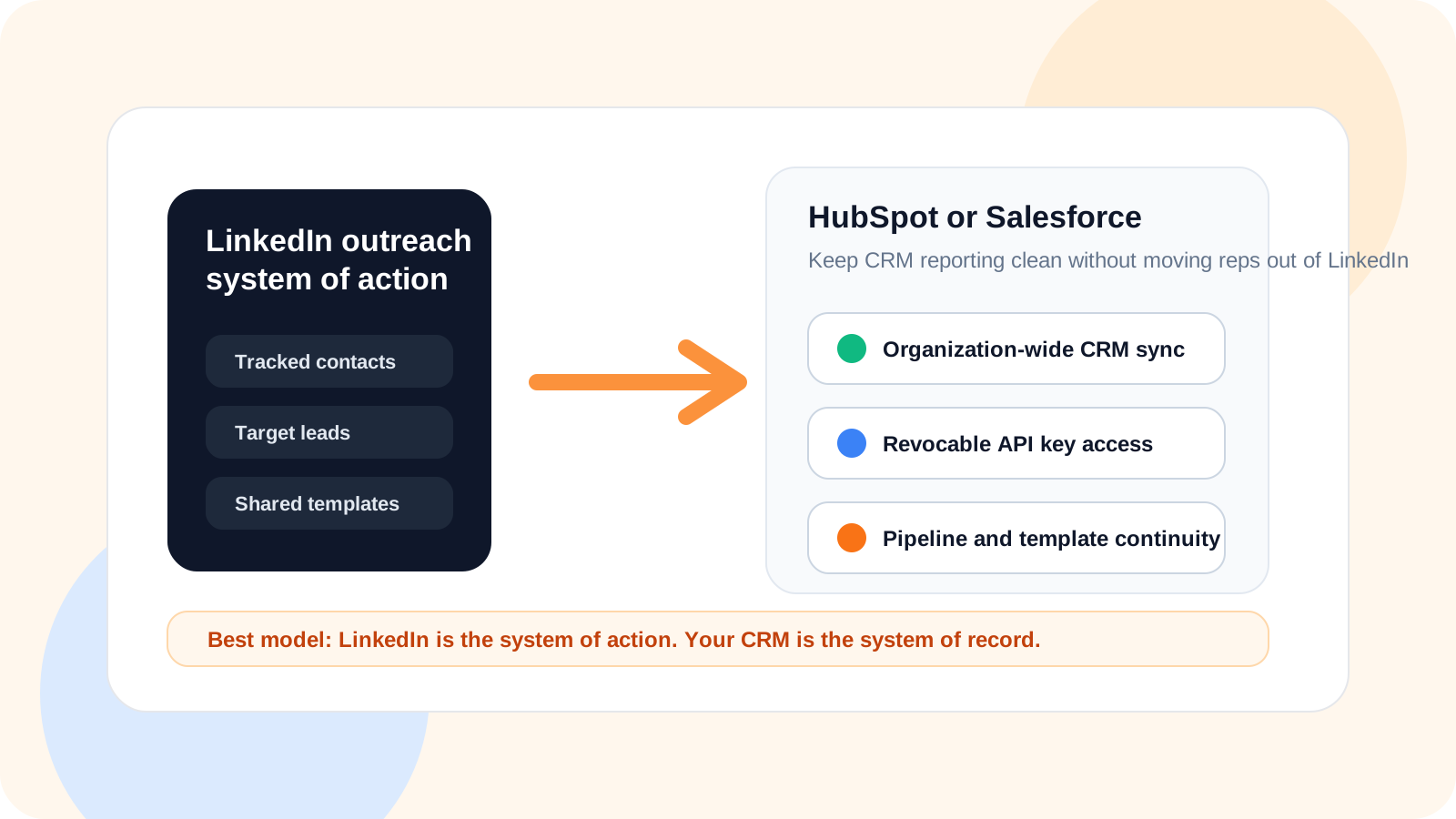
How to integrate LinkedIn outreach data into HubSpot or Salesforce starts with a simple principle: keep reps working inside LinkedIn, then sync the shared outreach record into your CRM. That approach protects execution speed while giving RevOps, managers, and account teams a clean reporting layer.
The mistake most teams make is trying to force LinkedIn execution directly into a heavyweight CRM screen. Reps slow down, notes go stale, and the data ends up incomplete anyway. The workflow gets worse in both places.
The cleaner model is what DMnesia was built for. Reps use the extension to track contacts, manage follow-ups, detect replies, and keep a target lead queue close to the browser. Professional organizations then unlock API Access from the team portal so organization-wide contacts, target leads, and shared templates can flow into the rest of the stack.
What a strong LinkedIn-to-CRM integration should do
A useful integration should reduce admin, not create more of it. The goal is to separate the system of action from the system of record while keeping both aligned.
- Keep outreach close to the rep so LinkedIn work happens where the context already lives.
- Move team data into the CRM so leaders can report, route, and enrich accounts centrally.
- Support secure access so integrations can be named, reviewed, and revoked when needed.
- Preserve shared templates and lead context so the CRM receives more than a raw name list.
| Integration model | What reps experience | What leaders get |
|---|---|---|
| CRM-only logging | High admin and slower follow-up | Incomplete records because reps skip updates |
| Browser-only tracking | Fast execution and strong context | Weak team-wide reporting outside the browser |
| LinkedIn-native workflow plus CRM sync | Fast execution with less duplicate work | Cleaner shared reporting and downstream automation |
How DMnesia supports CRM integration for LinkedIn outreach data
Shared team data is available from one place
In the team portal, organizations can create named access keys for CRM workflows. That matters because integrations should belong to the team, not to one rep’s browser session. The shared layer includes tracked contacts, target leads, and team templates.
The CRM can stay the source of truth for broader account reporting
DMnesia does not try to replace HubSpot or Salesforce for company-wide record keeping. It gives those systems the LinkedIn outreach context they are often missing, while letting reps keep working in the faster browser-native flow.
Leaders can control access without breaking rep workflow
Good integration design also includes control. DMnesia’s portal gives teams a place to name, review, and revoke integration access when needed. That makes it safer to support multiple downstream workflows over time.
Best-practice framing: LinkedIn should stay your team’s system of action. HubSpot or Salesforce should stay your system of record. Integration works best when you respect that division instead of making one tool pretend to be both.
When to sync LinkedIn outreach data into HubSpot or Salesforce
The timing depends on how your team works, but most teams want CRM visibility once data becomes shared team context rather than one rep’s private scratchpad.
- Tracked contacts matter when outreach has started and the team wants shared account visibility.
- Target leads matter when RevOps or managers want to monitor pipeline buildup before messaging begins.
- Shared templates matter when enablement wants consistency across reps and regions.
- Professional billing and team seats matter when integration ownership moves from one seller to the organization.
That is why the integration story should start at the team level, not with one seller copying notes from LinkedIn into a CRM by hand.
People also ask about how to integrate LinkedIn outreach data into HubSpot or Salesforce
What is the best way to integrate LinkedIn outreach data into HubSpot or Salesforce?
The cleanest model is to let reps work inside a LinkedIn-native tracker, then sync shared contacts, target leads, and templates into the CRM through a secure team integration layer. That keeps execution fast and CRM reporting consistent.
Should LinkedIn outreach live in the CRM or in a Chrome extension?
The outreach work itself should stay close to the rep inside LinkedIn, while the CRM should hold the broader account record. Teams usually perform better when execution and reporting are connected but not forced into the same screen.
Can DMnesia connect LinkedIn outreach data to CRM workflows?
Yes. DMnesia’s team setup includes API access for professional organizations so teams can move organization-level contact, lead, and shared template data into a broader CRM stack.
Conclusion: the best integration keeps reps fast and reporting clean
How to integrate LinkedIn outreach data into HubSpot or Salesforce is really a workflow design question. The best answer is usually not more manual logging. It is a cleaner handoff between the place where reps act and the place where the company reports.
If your CRM integration adds friction to every follow-up, it is working against pipeline, not for it.
Connect LinkedIn execution to your CRM stack
Use DMnesia to keep outreach inside the browser and move shared contact, lead, and template data into HubSpot or Salesforce at the team level.
Set Up Team API AccessFrequently asked questions
What is the best way to integrate LinkedIn outreach data into HubSpot or Salesforce?
The cleanest model is to let reps work inside a LinkedIn-native tracker, then sync shared contacts, target leads, and templates into the CRM through a secure team integration layer. That keeps execution fast and CRM reporting consistent.
Should LinkedIn outreach live in the CRM or in a Chrome extension?
The outreach work itself should stay close to the rep inside LinkedIn, while the CRM should hold the broader account record. Teams usually perform better when execution and reporting are connected but not forced into the same screen.
Can DMnesia connect LinkedIn outreach data to CRM workflows?
Yes. DMnesia’s team setup includes API access for professional organizations so teams can move organization-level contact, lead, and shared template data into a broader CRM stack.